TeamSpeak против Discord: что лучше?

TeamSpeak и Discord — две самые популярные на сегодняшний день программы для голосового общения в играх. Обе программы имеют свои отличительные особенности. Итак, TeamSpeak или Discord: что лучше? Вот TeamSpeak и все его плюсы и минусы. Дискорд сравнение.
Мы живем в век технологий и общаться через интернет одна из потребностей века. Однако найти способ общаться с несколькими людьми одновременно через Интернет может быть непростой задачей. Особенно, если вы собираетесь собраться с несколькими друзьями, чтобы поиграть в игры или пообщаться вместе, вам может понадобиться простое в использовании, но эффективное программное обеспечение.
На данный момент есть две основные программы, которые вы можете использовать для виртуальных групповых чатов: TeamSpeak и Discord. Обе программы ориентированы на игры и сегодня являются одними из самых популярных программ цифрового общения. Ну, а что касается бенчмаркинга следует предпочесть? TeamSpeak все еще используется, несмотря на то, что это относительно старое программное обеспечение? Давайте сравним две программы во всех деталях.
Плюсы и минусы TeamSpeak:
плюсы:
- Высокое качество звука: TeamSpeak имеет чрезвычайно высокое качество звука. Он предлагает чистый и бесшумный звук с такими функциями, как подавление фонового шума и подавление эха.
- Более низкое использование ЦП, памяти и пропускной способности: По сравнению с Discord TeamSpeak использует гораздо меньше ресурсов процессора, памяти и пропускной способности. Это означает, что TeamSpeak не слишком сильно влияет на производительность игры для геймеров, у которых нет систем высокого класса.
- Оверлей в игре: Благодаря внутриигровому оверлею вы можете продолжать использовать TeamSpeak в игре. Таким образом, вы можете общаться в текстовом чате и изменять настройки TeamSpeak в игре.
- Лучшая безопасность и конфиденциальность: В TeamSpeak с шифрованием военного уровня ваши данные не передаются третьим лицам, а пользователи остаются анонимными.
Минусы:
- Недостаточная возможность текстового чата: TeamSpeak сильно отстает от Discord, когда дело доходит до обмена сообщениями. Если вы также заботитесь о текстовом общении, TeamSpeak может быть для вас недостаточным.
- Платные серверы: Если вы хотите разместить сервер в TeamSpeak, вам придется заплатить за это.
- Не подходит для начинающих: TeamSpeak имеет более старый и сложный интерфейс по сравнению с Discord и не очень прост в использовании. Поэтому нельзя сказать, что он подходит для новичков.
После разговора о плюсах и минусах “TeamSpeak – хорошая программа?” Мы можем определенно сказать «да» на этот вопрос. TeamSpeak, который опережает Discord благодаря высокому качеству звука, низкому использованию оборудования и полосы пропускания, а также расширенным функциям безопасности и конфиденциальности; Он отстает от времени со своими платными серверами, сложным в использовании и сложным интерфейсом и недостаточными функциями текстового чата.
Плюсы и минусы Дискорда:
Плюсы:
- Простой и удобный интерфейс: По сравнению с TeamSpeak Discord имеет простой в использовании интерфейс, который выглядит намного современнее. Поэтому, даже если вы раньше не использовали подобную программу, вы можете научиться пользоваться Discord сразу.
- Бесплатные серверы: Вы можете бесплатно размещать серверы в Discord. Существует также платное обновление под названием Discord Nitro, но вы также можете пользоваться всеми функциями программы бесплатно.
- Множество функций текстового чата: Discord — это не просто программа для голосового общения, она позволяет отправлять смайлики, гифки и фотографии, прикреплять файлы и многое другое.
- Многие пользователи и сообщества: В отличие от TeamSpeak, Discord больше похож на социальную сеть, чем на программу голосового общения. Вы можете найти всевозможные сообщества пользователей в Discord, и, присоединившись к этим сообществам, вы сможете общаться так же, как в социальной сети.
- Оверлей в игре: Как и TeamSpeak, Discord имеет собственный интерфейс, к которому вы можете получить доступ во время игры. Вы также можете настроить этот внутриигровой интерфейс по своему желанию или полностью отключить его.
Минусы:
- Собирает пользовательские данные: Discord подтвердил, что они собирают пользовательские данные. Эти данные включают электронные письма, текстовые чаты, изображения и голосовые чаты. Неизвестно, продаются ли эти данные третьим лицам, но есть вероятность, что компания будет использовать эти данные сейчас или в будущем. Зная это, вы сами решаете, использовать программу или нет.
- Низкое качество звука: Discord не имеет плохого качества звука, но у него не такое хорошее качество звука, как у TeamSpeak. Если вы не из тех, кто одержим мелкими деталями, вы, вероятно, не заметите разницы. Однако задержки могут быть неприятными, когда несколько человек одновременно разговаривают в голосовом чате.
- Более высокое использование ЦП, памяти и пропускной способности: Тот факт, что Discord предлагает как видео-, так и аудиовызовы, содержит множество смайликов и картинок и имеет более продвинутый интерфейс, делает его более утомительной для системы программой по сравнению с TeamSpeak. Можно сказать, что разница немалая с точки зрения использования ЦП, памяти и пропускной способности, и даже если у вас нет мощной системы, Discord оказывает огромное влияние на ваш игровой процесс в фоновом режиме.
Discord, превратившийся из программы голосового общения в социальную сеть, — это место, где встречаются люди со схожими интересами. сообществам Вы можете присоединиться, вы также можете общаться вне игры в этих сообществах. Программа, имеющая гораздо более современный интерфейс, выделяется простотой использования, но, к сожалению, содержит слишком много возможностей. не дружественное к системе программное обеспечение. Поэтому, если ваша цель — только голосовое общение во время игр, а ваш компьютер не очень мощный, Discord может быть не лучшим выбором.
TeamSpeak или Discord: что предпочесть?
Подходим к самому любопытному вопросу: Должны ли вы использовать Discord или TeamSpeak?? На данном этапе важно то, что вам действительно нужно. Если вы заботитесь о конфиденциальности, вы должны знать, что Discord собирает ваши пользовательские данные. Кроме того, если вашей единственной целью является голосовое общение во время игр, и вы ищете программное обеспечение, которое не будет утомлять вашу систему, вы все равно можете его использовать. раздора Это не должно быть вашим первым выбором.
TeamSpeak vs Discord: Which Is The Better Communication Tool?
Finding a way to speak with multiple people at once over the internet can be a bit of a hassle. If you’re trying to get a group together in this way, you’ll probably be looking to download some new software that’s easy and effective to use.
Two of the top programs for a virtual group chat, focused mainly on gaming, are TeamSpeak and Discord. They are two of the most popular software for talking to others. Both of them are different from each other, though performing a similar task.
Table of Contents
Depending on what you’re using the software for, the specifics of one or the other may prove to be more useful to you.
This article will weigh the differences between TeamSpeak vs. Discord, and the pros and cons of each so you can decide which one best suits your needs.
TeamSpeak
This program is well-known for its gaming voice chat capabilities, being used in esports leagues to communicate during gameplay. With TeamSpeak, you can create or join servers, which is where you can communicate with other users.

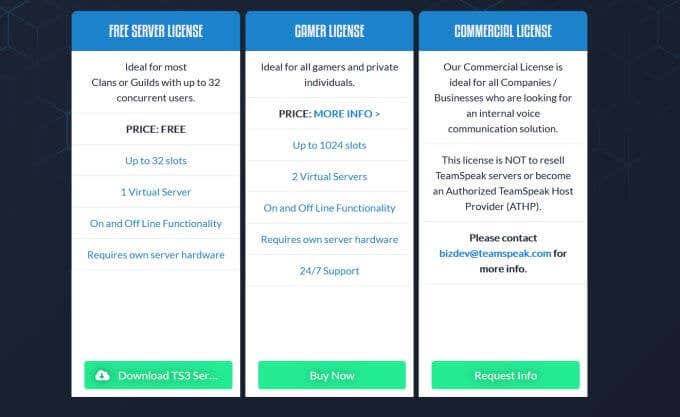
If you want to create your own private server, you’ll need the hardware to do so beforehand, but it’s free otherwise over TeamSpeak. If you don’t, you can host a server through TeamSpeak that will be public.

TeamSpeak is used mainly for in-game chats, and has great overall voice quality. Because of this, it’s great if you have a larger group of people all trying to communicate over a game at once. With TeamSpeak, you should be able to do so very smoothly.
Here are the pros and cons of the program in comparison to Discord.
Pros
- High voice quality. TeamSpeak is known for having extremely high sound quality, which makes it a good pick if you have a large group, as you’ll be able to hear everyone clearly.
- Less usage of bandwidth. If you’re worried about game lag occurrences while using a voice chat program, TeamSpeak doesn’t cause much of this compared to Discord, as Discord has more features which may cause lag during gameplay.
- In-game overlay available. If you need to use TeamSpeak while you’re playing your game, there is an overlay you can access while in-game. You can use this for text chat, or changing any TeamSpeak settings you might need to.
Cons
- Lacks a lot of text-chat features. The text chat in TeamSpeak is pretty bare-bones compared to Discord. If you don’t want a lot of frills for your text chat, you may actually prefer this though.
- Have to pay for servers. If you already have your own hardware to host a server, you can do so for free, but otherwise you’ll need to pay bandwidth fees in order to host one through TeamSpeak.
Discord
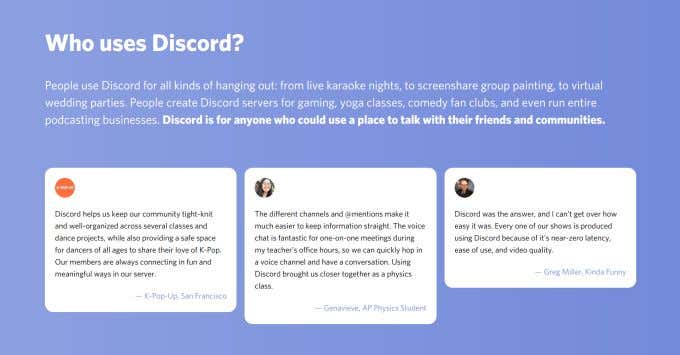
Discord is extremely popular to use for voice chatting. Though it began with mainly a gaming-based community, it’s usage has spread so you can find many different types of communities on the service. It’s much more like a social media network than TeamSpeak is.
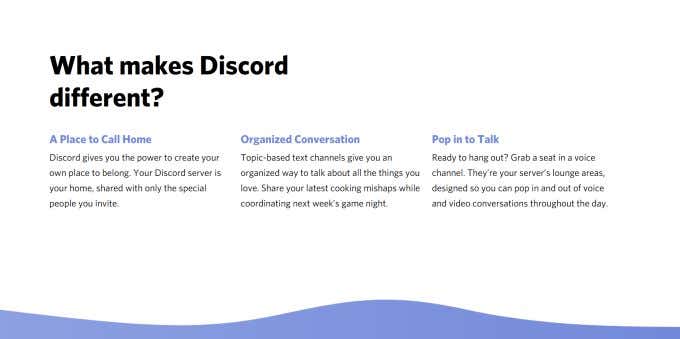
In Discord, you can create or join servers for free. Within each server you can have different channels for different topics, and set roles for members of the server. With the capabilities of Discord’s text chat, such as being able to send pictures and gifs easily, it makes for a great social environment.
Here are some pros and cons of Discord compared to TeamSpeak.
Pros
- Intuitive user interface. Discord is very easy to use even if you’ve never used a similar type of program before. This makes it very simple to get started and begin using it right away.
- Free servers. With Discord, you can host servers for free, and all of the software itself is free to use as well. There is an upgrade you can pay for called Discord Nitro, but it’s not needed to enjoy all of the program’s features.
- Plenty of text chat features. Besides just voice chat, Discord also has a powerful text chat system within each server. You can send emojis, gifs, photos, attach files, and more. It makes for a great place for users to gather and communicate.
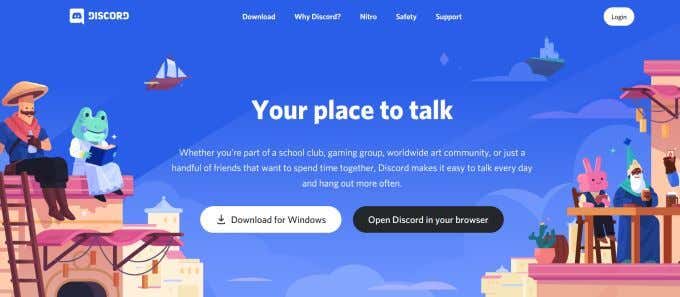
- Many users and communities. You can find tons of servers on Discord where you can discuss nearly any topic you wish. The program has expanded from gaming communities and now many more people have started hosting different types of servers. There are places where you can go just to chat and make friends, to talk about movies or books, music, and many more.
- In-game overlay. Like TeamSpeak, Discord also has its own overlay you can access while playing games. It’s also fully customizable if you want the overlay to look a certain way when opened up.
Cons
- Speaker prioritization system is lacking. If you have many people trying to voice chat at once in a Discord channel, it’s possible you may run into some issues. Discord may muffle someone if two people talk at once, and compared to TeamSpeak the voice quality is a bit lesser. If you don’t have many people in your voice chat, though, there shouldn’t be many problems.
- Collects user data. Discord has confirmed that they do collect user data. This includes your email, text chats, images, and voice chats. It’s unknown whether this data is sold to third parties, but it’s possible the company is using yours and other users’ data to determine their own future business model. Knowing this, it’s up to you whether you want to use the program or not.
Which Program Is Best?

When it comes down to it, choosing between TeamSpeak vs. Discord depends on what you’re wanting to use it for. If you have a small group you want to voice chat with, Discord is probably your best bet. Discord is also good if you’re more interested in text messaging and enjoy more of a social media environment.
If your main interest is using a program that can connect teammates for gaming, and you’ll be using voice chat consistently, TeamSpeak is a better option. With great voice quality and less danger of causing lag, the program is definitely made to compliment a multiplayer gaming experience.
Both programs have something to offer, so it comes down to deciding which features work best for you.
Since she was a child, Kayla has had a fascination with technology, video games, and filmmaking. Growing up she wrote on multiple personal blogs about these topics, enjoying the process of breaking down technical concepts. Most recently her focus has shifted to writing, and Kayla now reviews and writes technology, video editing, and gaming related articles. Read Kayla’s Full Bio
Subscribe on YouTube!
Did you enjoy this tip? If so, check out our very own YouTube channel where we cover Windows, Mac, software, and apps, and have a bunch of troubleshooting tips and how-to videos. Click the button below to subscribe!
TeamSpeak vs Discord: Which Is the Best in Service & Privacy

If you’re reading this, chances are high that you’re a gamer who’s looking to find the best way to connect with other gamers like yourself. The online gaming community is known to be a social lot that emphasizes communication. That leads us to the natural question you must have in your mind: TeamSpeak vs Discord, which one is better?
It is helpful to have some background information to illustrate how both these platforms have grown and evolved over the years. TeamSpeak was one of the first such digital communication services. Discord is a relatively newer entry into the fold. However, in these few years, it has managed to build up quite a reputation for itself.
In a nutshell, TeamSpeak is supposed to act as a VoIP service. On the other hand, Discord offers numerous other important features in addition to a reliable VoIP service.
But there are numerous other similarities as well as distinctions that allow both these platforms to consistently battle it out as the preferred option for the community. The two most important categories to consider are undoubtedly service and privacy. This comparison pits the two based on these categories while also answering some other important questions like how much bandwidth does TeamSpeak use vs Discord.
TeamSpeak
Here’s how TeamSpeak performs based on its services and privacy features for its users.
Service
TeamSpeak is at its core a VoIP service that has been in the market since August 2002. In a market that was visibly diluted at the time, it carved out a niche for itself among gamers. It has never looked back since as TeamSpeak maintains a loyal user base that has helped it grow. Despite being in business for nearly two decades, its basic formula for success remains unchanged.

It uses few resources on the users’ devices, allowing for optimum performance without straining the users’ connection. This ensures that its potential users are not deflected by things like low-specs. This has always been a major advantage for TeamSpeak in the TeamSpeak vs Discord debate.
However, there are some gaping holes in its performance as well. The most notable among these is the layout that can be confusing. While you’d expect a service that prides itself on simplicity to have a similarly simplistic UI, it is surprising that TeamSpeak can be hard to use for new users.
Unlike joining a server through a shared link, users must copy an IP address of the server and manually connect to it. There’s no automatic bookmarking either so that has to be done manually as well.

Similarly, a server is not free to create or use either. The cost depends on how many client slots you wish to have on our server.
Privacy
In theory, TeamSpeak is a highly flexible app. This has often been the reason for a lot of TeamSpeak’s success over the years. However, in this particular case, it might be a cause for serious concern among its users.
While TeamSpeak has never divulged specific details about its privacy measures, it has indicated that all participants’ IP addresses are visible to the server admin. Over the years, this has been the subject of intense debate among the TeamSpeak community.

On one hand, this has allowed the service to ensure that it can keep its community safe from any wrongdoers. At the same time, allowing the mods to have access to such crucial information on all users seriously jeopardizes users’ privacy online.
Thankfully, there is an easy way around this problem thanks to a VPN. A VPN can effectively mask your IP, keeping your actual address safe from any mod on TeamSpeak.
Discord
Here’s a look at Discord’s services and privacy options available to its users.
Service
On the other side of this TeamSpeak vs Discord debate is the newer entry, Discord. It was released in May 2015 and became an instant hit. Its rapid rise to fame is best described by the fact that it has already become one of the most used VoIP services of all time.
As it is a newer service, it offers some major advantages compared to TeamSpeak, such as larger storage capacity. Discord gives its users 100MB of storage space. This comes with an option to add games to the quick launch option that would allow you to access games directly from your Discord.

Furthermore, you can buy several games directly from Discord at a discount. All the servers on Discord are free to use and unlike TeamSpeak, it has no overlay software that could result in a lag.
But, as you’d expect, it has its disadvantages as well. The primary problem is its disk usage. In the TeamSpeak vs Discord debate, Discord always loses out when it comes to hindering other processes because of taking up too much memory. This is infuriating for some users as this major hindrance is by design.
Discord uses advanced API and integration. While this gives Discord a sleeker look compared to TeamSpeak, it makes it far more power-hungry and a strain on the users’ machines.
Privacy
Unfortunately, despite an impressive array of features, Discord has some disturbing privacy practices as well. It collects information on user activity while also retaining more sensitive information such as device ID, IP address, and what other services you use apart from Discord when on Discord servers.
Discord claims that it does not share this information with external parties and uses it to identify its user demographics. However, it provides no proof to back up this claim and expects users to take its word for it.
Keeping that mind, Discord cannot claim to be completely safe as it is visibly and blatantly violating its users’ privacy. I’d highly recommend users opt for a secure Discord VPN to avoid having their activities monitored
Final Verdict
There are multiple facets to consider in this TeamSpeak vs Discord debate. However, as this comparison aimed to narrow the focus down to two important categories, it becomes clear that both services have something unique to offer.
Discord undoubtedly trumps TeamSpeak as far as service goes since it can offer several useful features that elevate the overall gaming experience. On the other hand, TeamSpeak comes across as the “safer” option of the two. It does not log info for any purpose and its IP monitoring can be easily evaded via a TeamSpeak VPN.
In the end, it all depends on what the user is looking for. For users that value performance above all and do not mind the occasional infringement of privacy, Discord is a no-brainer. However, users that value their digital privacy above all will find TeamSpeak to be the better option of the two.
Topics :
Yasir Nawaz enjoys writing on issues related to cybersecurity, digital privacy, and online streaming. A firm advocate of digital equality and freedom of access throughout the web, he believes no piece of consumable information should be restricted online. When he’s not busy writing on such immensely important issues, he finds solace in chess, reading, and staring into the abyss in his best Luke Skywalker impression.
Join 600k+ Newsletter Subscribers


How to Watch MotoGP 2023 Live Streaming
Posted on November 18, 2023

How to Disable a VPN on Any Device
Posted on November 7, 2023

22 Best Hidden Roku Channels You Should Add Right Now
Posted on November 6, 2023
Join 3 million+ users to embrace internet freedom
Signup for PureVPN to get complete online security and privacy with a hidden IP address and encrypted internet traffic.
- Mac VPN
- Windows VPN
- Linux VPN
- iPhone VPN
- Huawei VPN
- Android VPN
- VPN Chrome Extension
- VPN Firefox Extension
- VPN Edge Extension
- Android TV VPN
- Firestick TV VPN
- Apple TV VPN
- Dedicated IP VPN
- Port Forwarding
- What is My IP
- DNS Leak Test
- IPv6 Leak Test
- WebRTC Leak Test
- Support Center
- VPN Setup Guides
- Contact Us
- VPN Affiliate Program
- Student Discount
- Family Plan
- PureDome
- Developers (API)
- White Label VPN
- VPN Resellers Program


© 2007 — 2023 PureVPN All Rights Reserved PureVPN, brand of GZ Systems Limited Intershore Chambers P.O Box 4342, Road Town, Tortola, British Virgin Islands
Company Registration No: 2039934
- Privacy Policy
- Refund Policy
- Affiliate Policy
- Terms of Usage
- Sitemap
What is the Golden Ticket
The Golden Ticket is your key to a 100% discount on another Max plan, which you can share with a friend or family member. Plus, it gives you a shot at winning an iPhone 15 Pro.
How it works:
- Step 1: Get the 2-year Max plan and receive the Golden Coupon Code via email.
- Step 2: Share the code with a friend or redeem it yourself using a different account.
- Step 3: Use the code for a chance to win an iPhone 15 Pro and other exciting rewards.
We use 1st and 3rd party cookies on our website to give you the most relevant experience by remembering your preferences and repeat visits. By clicking “Accept All”, you consent to the use of ALL the cookies. However, you may visit «Cookie Settings» to provide a controlled consent.
Manage consent
Privacy Overview
This website uses cookies to improve your experience while you navigate through the website. Out of these, the cookies that are categorized as necessary are stored on your browser as they are essential for the working of basic functionalities of the website. We also use third-party cookies that help us analyze and understand how you use this website. These cookies will be stored in your browser only with your consent. You also have the option to opt-out of these cookies. But opting out of some of these cookies may affect your browsing experience.
Always Enabled
Necessary cookies are absolutely essential for the website to function properly. These cookies ensure basic functionalities and security features of the website, anonymously.
| Cookie | Duration | Description |
|---|---|---|
| __stripe_mid | 1 year | This cookie is set by Stripe payment gateway. This cookie is used to enable payment on the website without storing any patment information on a server. |
| __stripe_sid | 30 minutes | This cookie is set by Stripe payment gateway. This cookie is used to enable payment on the website without storing any patment information on a server. |
| Affiliate ID | 3 months | Affiliate ID cookie |
| cookielawinfo-checbox-analytics | 11 months | This cookie is set by GDPR Cookie Consent plugin. The cookie is used to store the user consent for the cookies in the category «Analytics». |
| cookielawinfo-checbox-functional | 11 months | The cookie is set by GDPR cookie consent to record the user consent for the cookies in the category «Functional». |
| cookielawinfo-checbox-others | 11 months | This cookie is set by GDPR Cookie Consent plugin. The cookie is used to store the user consent for the cookies in the category «Other. |
| cookielawinfo-checkbox-necessary | 11 months | This cookie is set by GDPR Cookie Consent plugin. The cookies is used to store the user consent for the cookies in the category «Necessary». |
| cookielawinfo-checkbox-performance | 11 months | This cookie is set by GDPR Cookie Consent plugin. The cookie is used to store the user consent for the cookies in the category «Performance». |
| Data 1 | 3 months | |
| Data 2 | 3 months | Data 2 |
| JSESSIONID | session | Used by sites written in JSP. General purpose platform session cookies that are used to maintain users’ state across page requests. |
| PHPSESSID | session | This cookie is native to PHP applications. The cookie is used to store and identify a users’ unique session ID for the purpose of managing user session on the website. The cookie is a session cookies and is deleted when all the browser windows are closed. |
| woocommerce_cart_hash | session | This cookie is set by WooCommerce. The cookie helps WooCommerce determine when cart contents/data changes. |
| XSRF-TOKEN | session | The cookie is set by Wix website building platform on Wix website. The cookie is used for security purposes. |
functional
Functional cookies help to perform certain functionalities like sharing the content of the website on social media platforms, collect feedbacks, and other third-party features.
| Cookie | Duration | Description |
|---|---|---|
| __lc_cid | 2 years | This is an essential cookie for the website live chat box to function properly. |
| __lc_cst | 2 years | This cookie is used for the website live chat box to function properly. |
| __lc2_cid | 2 years | This cookie is used to enable the website live chat-box function. It is used to reconnect the customer with the last agent with whom the customer had chatted. |
| __lc2_cst | 2 years | This cookie is necessary to enable the website live chat-box function. It is used to distinguish different users using live chat at different times that is to reconnect the last agent with whom the customer had chatted. |
| __oauth_redirect_detector | This cookie is used to recognize the visitors using live chat at different times inorder to optimize the chat-box functionality. | |
| Affiliate ID | 3 months | Affiliate ID cookie |
| Data 1 | 3 months | |
| Data 2 | 3 months | Data 2 |
| pll_language | 1 year | This cookie is set by Polylang plugin for WordPress powered websites. The cookie stores the language code of the last browsed page. |
performance
Performance cookies are used to understand and analyze the key performance indexes of the website which helps in delivering a better user experience for the visitors.
Analytical cookies are used to understand how visitors interact with the website. These cookies help provide information on metrics the number of visitors, bounce rate, traffic source, etc.
Rakuten Advertising is a third party company that uses cookies on the website, you can view their privacy policy at this address: https://rakutenadvertising.com/legal-notices/services-privacy-policy/
| Cookie | Duration | Description |
|---|---|---|
| _ga | 2 years | This cookie is installed by Google Analytics. The cookie is used to calculate visitor, session, campaign data and keep track of site usage for the site’s analytics report. The cookies store information anonymously and assign a randomly generated number to identify unique visitors. |
| _ga_J2RWQBT0P2 | 2 years | This cookie is installed by Google Analytics. |
| _gat_gtag_UA_12584548_1 | 1 minute | This cookie is set by Google and is used to distinguish users. |
| _gat_UA-12584548-1 | 1 minute | This is a pattern type cookie set by Google Analytics, where the pattern element on the name contains the unique identity number of the account or website it relates to. It appears to be a variation of the _gat cookie which is used to limit the amount of data recorded by Google on high traffic volume websites. |
| _gcl_au | 3 months | This cookie is used by Google Analytics to understand user interaction with the website. |
| _gid | 1 day | This cookie is installed by Google Analytics. The cookie is used to store information of how visitors use a website and helps in creating an analytics report of how the website is doing. The data collected including the number visitors, the source where they have come from, and the pages visted in an anonymous form. |
| _hjAbsoluteSessionInProgress | 30 minutes | No description available. |
| _hjFirstSeen | 30 minutes | This is set by Hotjar to identify a new user’s first session. It stores a true/false value, indicating whether this was the first time Hotjar saw this user. It is used by Recording filters to identify new user sessions. |
| _hjid | 1 year | This cookie is set by Hotjar. This cookie is set when the customer first lands on a page with the Hotjar script. It is used to persist the random user ID, unique to that site on the browser. This ensures that behavior in subsequent visits to the same site will be attributed to the same user ID. |
| _hjIncludedInPageviewSample | 2 minutes | No description available. |
| _hjIncludedInSessionSample | 2 minutes | No description available. |
| _hjTLDTest | session | No description available. |
| PAPVisitorId | 1 year | This cookie is set by the Post Affiliate Pro.This cookie is used to store the visitor ID which helps in tracking the affiliate. |
advertisement
Advertisement cookies are used to provide visitors with relevant ads and marketing campaigns. These cookies track visitors across websites and collect information to provide customized ads.
| Cookie | Duration | Description |
|---|---|---|
| _fbp | 3 months | This cookie is set by Facebook to deliver advertisement when they are on Facebook or a digital platform powered by Facebook advertising after visiting this website. |
| fr | 3 months | The cookie is set by Facebook to show relevant advertisments to the users and measure and improve the advertisements. The cookie also tracks the behavior of the user across the web on sites that have Facebook pixel or Facebook social plugin. |
| IDE | 1 year 24 days | Used by Google DoubleClick and stores information about how the user uses the website and any other advertisement before visiting the website. This is used to present users with ads that are relevant to them according to the user profile. |
| NID | 6 months | This cookie is used to a profile based on user’s interest and display personalized ads to the users. |
| test_cookie | 15 minutes | This cookie is set by doubleclick.net. The purpose of the cookie is to determine if the user’s browser supports cookies. |
| VISITOR_INFO1_LIVE | 5 months 27 days | This cookie is set by Youtube. Used to track the information of the embedded YouTube videos on a website. |
| YSC | session | This cookies is set by Youtube and is used to track the views of embedded videos. |
Other uncategorized cookies are those that are being analyzed and have not been classified into a category as yet.
| Cookie | Duration | Description |
|---|---|---|
| _app_session | 1 month | No description available. |
| _dc_gtm_UA-12584548-1 | 1 minute | No description |
| _gfpc | session | No description available. |
| 71cfb2288d832330cf35a9f9060f8d69 | session | No description |
| cli_bypass | 3 months | No description |
| CONSENT | 16 years 6 months 13 days 18 hours | No description |
| gtm-session-start | 2 hours | No description available. |
| isoCode | 1 month | No description available. |
| L-k26wU | 1 day | No description |
| L-KVHA4 | 1 day | No description |
| m | 2 years | No description available. |
| newVisitorId | 3 months | No description |
| owner_token | 1 day | No description available. |
| PP-k26wU | 1 hour | No description |
| PP-KVHA4 | 1 hour | No description |
| RL-k26wU | 1 day | No description |
| RL-KVHA4 | 1 day | No description |
| wisepops | 2 years | No description available. |
| wisepops_session | session | No description available. |
| wisepops_visits | 2 years | No description available. |
| woocommerce_items_in_cart | session | No description available. |
| wp_woocommerce_session_1b44ba63fbc929b5c862fc58a81dbb22 | 2 days | No description |
| yt-remote-connected-devices | never | No description available. |
| yt-remote-device-id | never | No description available. |
Which is Better Between Discord vs TeamSpeak?
Online gaming is best enjoyed with friends, and you’ll need voice chat enabled to converse with them. It will be tough for players who do not have access to internet voice chat to converse. Many voice-over-Internet Protocol applications have been developed throughout the years. Discord and TeamSpeak are two popular software tools for gamers and perfect to communicate with others over the internet. The best thing is that they are both completely free to use. These two applications, however, are vastly different. Let’s examine how they stack up against one other for various reasons and in various areas. So, continue reading to know which is better between Discord vs TeamSpeak.

Table of Contents
Which is Better Between Discord vs TeamSpeak?
Discord and TeamSpeak both are used as communication tools. These tools have unique features. Below we have listed the features of these tools respectively.
Features of Discord
- Discord servers are organized into channels based on the topics they cover.
- You may cooperate, discuss, and just talk about your day without clogging up a group chat or taking a seat on a voice channel whenever you have the chance.
- With low latency audio and video, you’ll feel like you’re in the same room. Friends on your server may see you’re online and join in the conversation without dialing your phone number.
- Create hidden channels, grant members special abilities, and more.
- Waving hello via webcam, watching pals broadcast their games, or getting together for a screen-sharing painting session are the various possibilities that can be done.
Features of TeamSpeak
- You’ll experience crystal-clear, lag-free conversations thanks to their inherent automatic mic level adjustment, background noise reduction, and echo cancellation.
- You’ll be right in the heart of the action with Positional Audio. Hear your teammates in a 360-degree soundscape, giving you an advantage over the opponent when it comes to putting your next game plan into action.
- Integrated military-grade security is included as standard.
- With TS3, you may enable AES-based encryption for the whole server, or even particular channels.
- You’ll have total control thanks to their comprehensive, best-in-class hierarchical permission system. Decide who has the authority to talk, who may join channels, and more.
- TeamSpeak may be used from anywhere. You are not linked to their systems, and no information about you is collected.
Brief Overview of Discord vs TeamSpeak
Below we have explained Discord and TeamSpeak both in brief.
1. Discord

Discord is a VOIP that was first introduced on May 23, 2015, and has since grown to become one of the most popular VOIPs ever. It’s a voice-over-IP, instant messaging, and digital distribution host platform. To hold private chats or as part of servers, Discord users employ voice calls, webcam calls, text messaging, video, and files. Discord is bigger than TeamSpeak, taking up approximately 100 megabytes of storage. You may add games to Discord’s fast launch so that if you need to open a game but don’t have a shortcut for it, you can do so from Discord.
2. TeamSpeak

On August 26, 2002, TeamSpeak was released as a voice-over-internet protocol (VoIP). As it was designed for gamers, it has become the most admired and utilized VOIP. TeamSpeak is much smaller than Discord and consumes far fewer resources. By joining channels, users may speak with other online players who are playing the same game as them. It is quicker than Discord for folks with low-spec computers. TeamSpeak is a proprietary VoIP program that enables people in a chat channel to converse via audio, much like a phone conference call. With TS3, you may enable AES-based encryption for the whole server, or even particular channels. You’ll be right in the heart of the action with Positional Audio.
TeamSpeak vs Discord: Which is Better?
Discord is more popular and has more user base than TeamSpeak. It has more varieties of features as compared to TeamSpeak. However, TeamSpeak is more stable than Discord as it uses less memory. Below we have categorized the difference between these apps in detail.
1. Ease Of Usage
Discord
- Compared to TeamSpeak, Discord is far more user-friendly.
- By connecting to the invite URL provided to you or posted by a YouTuber, blogger, or another user, you may join any server or community.
- Discord’s user interface is more user-friendly and enjoyable to use than TeamSpeak’s.
TeamSpeak
- You’ll need to install the TeamSpeak client on your computer after downloading it from their website.
- It’s necessary to input the server address, a nickname, and the server password.
- The learning curve for TeamSpeak is steeper than for Discord.
2. Pricing
Discord
- The majority of Discord’s features are free.
- Freebies sometimes have poor customer service, don’t allow for customization, and aren’t as secure as paid items.
- Discord Nitro is a premium package offered by Discord.
- Discord Nitro costs $9.99 a month to $99.99 for a year.
- You may collect or make your own unique animated emoticons.
- If you have been a Discord supporter for a long then it can be seen through your profile badge.
- It has high-quality file sharing and you can upload files up to 100MB in size.
- There’s a high-definition video, screen sharing, and Go Live streaming.
TeamSpeak
- It is not entirely free to utilize TeamSpeak.
- The price is based on the number of people that can connect to the server you’re hosting.
- This is great for small groups of individuals playing multi-player video games.
- You must pay for the server’s ownership if you wish to set up a server.
- A standard TeamSpeak server license costs nothing. However, it is limited to 32 people. For $55 per year, you get 64 slots and one virtual server.
- Always keep an eye on TeamSpeak for changing pricing and options.
3. Text Message, VOIP, And Video Chatting
Discord
- In addition to voice chat, Discord allows you to communicate via text messaging or video chats.
- You may even use two channels at once, one for voice chat and the other for text messaging.
- Using the text messaging tool, you may rapidly exchange photos and video recordings.
- It also allows you to share films and hilarious photos with people on your server easily and rapidly.
TeamSpeak
- If you simply need to utilize VoIP for voice and text conversations, TeamSpeak is a great tool to use if it’s a speaking program for groups.
- However, it doesn’t provide a video chatting program.
- TeamSpeak allows you to send text messages to the server and individual users instead of audio discussions.
- It is primarily set up and intended for audio talks rather than text chats.
4. Easy To Control And Usage
Discord
- In addition to cloud-based servers, Discord does not currently provide a self-hosted server option.
TeamSpeak
- TeamSpeak is the program to use if you want complete control over your server.
- It may be used to run a self-hosted TeamSpeakserver.
- Depending on how many spaces you allow, you must pay for it.
5. Voice Quality Features
Discord
- The voice quality in Discord is still decent, but not as good as it is in TeamSpeak Host.
- When a big number of participants join an audio conversation at the same time, however, these gaps can become significant.
TeamSpeak
- TeamSpeak is well-known for its superior audio quality.
- It is proud of its audio quality.
- TeamSpeak has automatic microphone audio correction, background noise reduction, and echo cancellation.
- They also make certain that there is no lag in communication.
6. Security And Privacy Features
Discord
- Discord servers keep track of user behavior as well as more sensitive information like your device ID, IP address, and any other services you use.
TeamSpeak
- It is a powerful communication tool with a wide user base.
- The specifics of this privacy measure have never been divulged.
7. Add-Ons And Plugins
Discord
- TeamSpeak has a higher level of plugin interoperability than Discord.
- Some users have changed the Discord program to allow plugin integration, even though Discord does not allow it and it is against their terms of service.
- To make them operate, you’ll need to make certain technical adjustments that aren’t allowed by Discord’s terms of service.
TeamSpeak
- In TeamSpeak, plugin integration is possible.
- They can enhance your game experience by incorporating 3D audio, for example. These qualities may be required in some games.
8. User Interface
Discord
- In many aspects, Discord’s user interface outperforms TeamSpeak.
- Unlike TeamSpeak, it has a user-friendly interface that is suited for newcomers.
- It also allows players to jump right into the games with a quick start option.
TeamSpeak
- Despite its many essential features, TeamSpeak lacks a user-friendly interface, an automated server connection, and automatic bookmarking.
- TeamSpeak’s user interface is extremely adaptable and varied, which might be confusing for novice users.
9. Mobile App
Discord
- It also has a mobile app that allows you to connect to servers and use Discord without having to use your computer. You can use Discord on Android and iOS both.
- Topic-based channels on Discord servers allow you to connect, talk, and conduct meetings without clogging up a group chat.

TeamSpeak
- It is a smartphone application that allows you to participate in audio chats.
- It’s developed for Android to help you get the most out of your mobile device and stay in touch with your co-workers while you’re on the road.

10. Game Overlay
Discord
- While playing, you can use the overlay provided by Discord.
- If you merely want the overlay to react in a certain way when you open it, you may do so completely.
TeamSpeak
- There is an overlay that you may utilize if you’re using TeamSpeak while playing.
- This may be used to text chat or make TeamSpeak configuration changes.
Recommended:
- 25 Best Adobe Premiere Pro Free Alternative
- How to Check RAM Frequency on Windows 10
- How to Create Telegram Account on Android
- How to Screen Share Netflix on Discord
We hope you found this information useful and that you were able to know about Discord vs TeamSpeak. Please let us know if you found the above information useful. Please use the form below if you have any queries or comments.