Garmin Connect and Google Fit Sync
I recently bought a Garmin 235 because it had the step count to replace a Garmin 910XT (perfectly good watch). It seems now that I can’t sync the steps with Google connect (I need to do this in order to obtain a health insurance rebate). My questions are:-
— I there a way I can do this?
— Is there some information that you could give me to point me in the right direction?
— Is this even possible?
— If it can’t be done would it be possible to make this information a lot clearer in the product information as this information is very important.
I appreciate your assistance with this and thankyou for your time.
Top Replies
I have been using a VivoActive HR since March 2017. I like the watch, and I’m quite happy with Garmin Connect as far as tracking my steps, workouts, etc. is concerned. My primary sports are rowing and…
It’s far more prudent and arguably smarter, at least from a consumer law perspective, for companies not to make promises it don’t need to make, irrespective of whether it intends to deliver the capability…
I just ordered a Vivosmart 3 and would like to also see the data getting synced to Google Fit. I believe this is an open issue for almost 2-3 yrs now. Could someone at Garmin provide any insight into whether…
All Replies
Garmin are under no obligation to provide information to 3rd party platforms. There are so many of them after all. If you want your data from Garmin to go to Google then you should also take the matter up with them at the same time as you contact Garmin Support. If you haven’t yet done that, then you need to do so.
Connection to Apple Health is done from the Apple device. You would expect connection to Google Fit to happen in the same way. In other words, Google Fit need to be providing links via the Garmin API to Garmin to get the information. Garmin might do something eventually, but I would not hold my breath waiting for them.
And as for making it clear about connectivity to 3rd party sites in the product information? If you have a particular function that is important to you, then it’s a question you need to be asking of the sales people.
— If it can’t be done would it be possible to make this information a lot clearer in the product information as this information is very important.
Alas, interoperability with any particular third-party platform can be (inadvertently, whimsically or otherwise) added, removed or simply ‘broken’ over the duration of a product model being in the market, so it doesn’t make a lot of sense for a device manufacturer to make such things part of the product specifications, irrespective of whether an individual consumer may think it is important to know for his/her own reasons (and not necessarily for the purposes the product model is marketed by the manufacturer).
It’s far more prudent and arguably smarter, at least from a consumer law perspective, for companies not to make promises it don’t need to make, irrespective of whether it intends to deliver the capability in question. Letting forum discussions and/or trusted reviewers online discover and publicise whether those additional capabilities are there, without the company formally committing to delivering and maintaining interoperability, makes for less commercial/contractual risk.
It’s far more prudent and arguably smarter, at least from a consumer law perspective, for companies not to make promises it don’t need to make, irrespective of whether it intends to deliver the capability in question.
You mean like when they showed this widget but don’t intend on delivering? :p
Mistakes are made. Anybody who feels hard-done-by because of the absence of the widget can of course return the device or attempt to sue Garmin.
As for the matter posted by the OP, no connection, or the ability to connect was implied. As I said, of there is a specific function you want the device to do, then it behoves you to check that the device will do that. Slightly different of course with relation to the aforementioned sleep widget.
I just ordered a Vivosmart 3 and would like to also see the data getting synced to Google Fit. I believe this is an open issue for almost 2-3 yrs now. Could someone at Garmin provide any insight into whether there is an on-going effort to sync the Garmin stats with Google Fit. If nothing else, could we just sync our step count ?
I use a health app (Healthifyme) which is great for India as it has all the food items customized to the Indian menu and it syncs with only Google fit (and also with Fitbit). I chose Garmin over Fitbit because I believe it is a superior product for a lesser price but not having the ability to sync with Google Fit is a bummer. If it doesnt work I will have to manually enter all my data from the Garmin app to Google Fit everyday, which as you can imagine would be such a waste of time if it can be auto-synced.
Request you to please look into this.
I also count to the group of the Garmin Device owner. I bought a Fenix 3 HR a few months ago. The device works quite well and fits to my expectations. But it is really a pitty that the Garmin Connect app doesn’t support the connection to other tracking apps. E.g. I am using a withings balance for many years and I am tracking my food with Lifesum as many people do. Both, Withings (or now Nokia health) and Lifesum are really openminded to link their app with other apps and platforms. Why then it is not possible today to sync these apps with Garmin connect?
It would be appreciated if you really work on this kind of features. Many user would be happy on that.
I have been using a VivoActive HR since March 2017. I like the watch, and I’m quite happy with Garmin Connect as far as tracking my steps, workouts, etc. is concerned. My primary sports are rowing and running, and I really appreciate that the VivoActive HR understands both indoor and outdoor rowing. Unfortunately, I also track calories, and I am extremely unhappy with the ability of Garmin Connect to integrate with calorie trackers. I currently use MyFitnessPal, and integration more or less works, but I detest the application. I would like choices, and therefore I REALLY, REALLY want Garmin to change their mind and integrate with Google Fit.
I’ve seen Google Fit, and if Garmin provided Google Fit integration, I would continue to use Connect as my primary app for viewing fitness and activity data. I just want the ability to use Google Fit for calorie tracker integration.
This is so important to me that, until Garmin provides Google Fit integration, I’m not buying any more Garmin products. The next time I need a new watch, or when we purchase an action camera next spring, it’s not going to be a Garmin product. I’m just not willing to buy into an «ecosystem» that doesn’t support my needs.
Синхронизация и перенос данных Garmin Connect и Google Fit и другими приложениями через Health Sync
Health Sync — Синхронизация данных о своём здоровье между приложениями Синхронизируйте данные о своем здоровье с Coros, Diabetes:M, Fitbit, Garmin, Google Fit, Health Mate (Withings), InBody, Oura, Polar, Samsung Health, Suunto и Huawei Health (не поддерживается, если ваш идентификатор Huawei зарегистрирован в регионе Россия). Вы можете синхронизировать данные с Diabetes:M, Fitbit, Google Fit, Samsung Health, Schrittmeister, FatSecret (только вес), Runalyze, Smashrun или Strava. Данные об активности также можно синхронизировать как файл FIT, TCX или GPX с Google Диском. Health Sync работает автоматически и синхронизирует данные в фоновом режиме. Он синхронизирует данные с момента первого использования приложения. Исторические данные (все данные до дня установки) можно синхронизировать после периода бесплатного отслеживания. Наш Телеграм канал https://t.me/aatown Наш магазин https://aatown.ru Наш ВК https://vk.com/aatownru Наш Инстаграм https://www.instagram.com/aatown.golubev #Garmin #Гармин #AATOWN #ААТАУН #АнтонГолубев
Показать больше
Войдите , чтобы оставлять комментарии.
How to Connect Garmin with Google Fit [Complete Guide]

If you use a Garmin watch and want to track your progress on your daily routine and fitness, Google Fit is a very useful app. Google provides us with many fitness features in Fit which help us to improve our fitness goals.
Those who use Garmin watches have the desire to connect their watch with the Google Fit app and access many fitness tracking features. But many difficulties have to be faced in connecting Google Fit with Garmin Watch.
There is no official method to connect the Garmin watches with Google Fit. But you can connect the Garmin watch with Google Fit through an unofficial way for which you will have to take the help of a third-party app.
In this blog post, I am going to give you a complete guide on how to connect Garmin with Google Fit.
Table of Contents
Can You Connect Garmin with Google Fit?
Currently, there is no official way to connect Garmin Watch with Google Fit. But in the future, we can see the support of Google Fit in Garmin devices. To connect Google Fit with Garmin, we have to use a third-party app.
Connecting Garmin Watch to Google Fit is not that easy, but if you connect it after reading the right information, then you can connect these two very easily.
There are many alternatives to Google Fit in the market, which you can connect with your Garmin watch and track your health data. Some popular Google Fit alternatives are MyFitnessPal, Strava, Nike Run Club, and Training Peaks.
We will see about all these apps in this article, but first, we know how to sync Garmin with Google Fit using a third-party app named SyncMyTrack.
How to Connect Garmin with Google Fit using SyncMyTrack
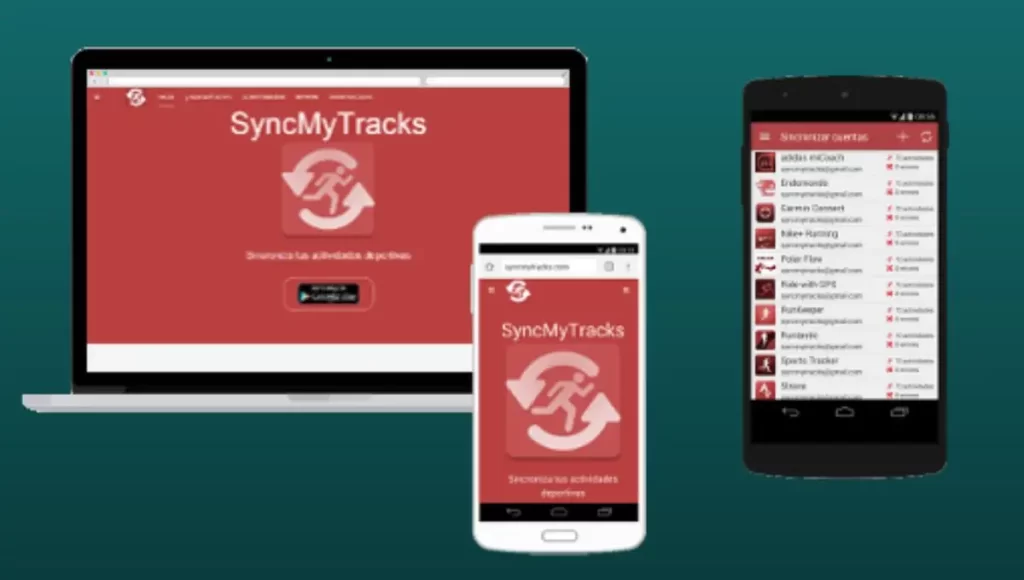
SyncMyTrack is a third-party app that can easily share your fitness data with other platforms like Garmin Connect, Strava, Fitbit, and Google Fit. In SyncMyTrack, you get to see the support of many fitness features like steps, distance, calories burned, heart rate, etc.
You can download and use this app for free. But if you want to access the additional features of this app, then you will have to purchase its premium subscription. You can download this app from the play store.
Here I have mentioned the steps of how to connect the Garmin watch with google fit through SyncMyTrack. By following these steps you can sync Garmin and google fit.
Step 1: First of all, you have to download and install the SyncMyTrack app from Google Play Store on your Android device.
Step 2: After installation, open the app and give access to whatever permissions are required to connect the Google Fit account and Garmin Watch.
Step 3: Open the app and tap on the “Connect” button.
Step 4: Select “Garmin” from the list of available devices and follow the instructions to connect your Garmin watch to the SyncMyTrack app.
Step 5: Once your watch is connected, tap on the “Connect” button again and select “Google Fit”.
Step 6: After this, you have to follow the prompt to sign in Google account and authorize SyncMyTrack to access your Google Fit data.
Step 7: Follow the prompts to sign in to your Google account and grant SyncMyTrack access to your Google Fit data.
Step 8: Configure the data that you want to sync between your Garmin watch and Google Fit. You can select options such as steps, calories burned, heart rate, and more.
Step 9: Tap on the “Start Syncing” button to begin syncing your data between your Garmin watch and Google Fit.
After completing these steps, your Garmin watch will be connected to Google Fit via the SyncMyTrack app and your data will be automatically synced between the two platforms. You can view your data in the Google Fit app or on the SyncMyTrack dashboard.
List of Smartwatches Compatible with Google Fit
There are many smartwatches that support the Google Fit app. Here is a list of some popular smartwatch brands.
- Apple Watch
- Wear OS Smartwatches (pre-installed)
- LG Watch
- Wahoo
- Polar
- Misfit
- Xiaomi Mi Bands
- Mobvoi TicWatch
Best Alternatives of Google Fit
There are several alternatives to Google Fit that you can use to track your fitness and health goals. Here are a few popular ones:
1. MyFitnessPal
MyFitnessPal is also a popular app and website on the side of Google Fit. It tracks your diet and exercise and helps you improve your fitness goals. You can use this app with both Android and iOS devices.

MyFitnessPal has a large database for food, to which more than 14 million food items have been added. With the help of this feature, users can track their diet throughout the day. Apart from this, it also allows the user to track physical activity and exercise like steps, workouts, cardio, etc.
You can use MyFitnessPal for free, but if you want to access all the features of this app, then you will have to buy its premium plan.
How to Connect Garmin Watch to MyFitnessPal
- First of all, you have to download and install the “MyFitnessPal” app on your phone.
- After this create your account and then log in to MyFitnessPal.
- Now you have to open the “Garmin connect app” and click on the “menu” section.
- After coming to the menu, click on “setting” and click on “connected app”.
- After this, a list of many apps will appear in front of you, you have to select the MyfitnessPal app.
- To sync Garmin with MyFitnessPal, you will be asked for some authorized permissions, you have to allow all the permissions.
2. Strava
Strava is a very popular fitness app and social network for athletes. This app is built specifically for cyclists and runners but is also used for outdoor activities. Currently, Strava has more than 14 million active users.
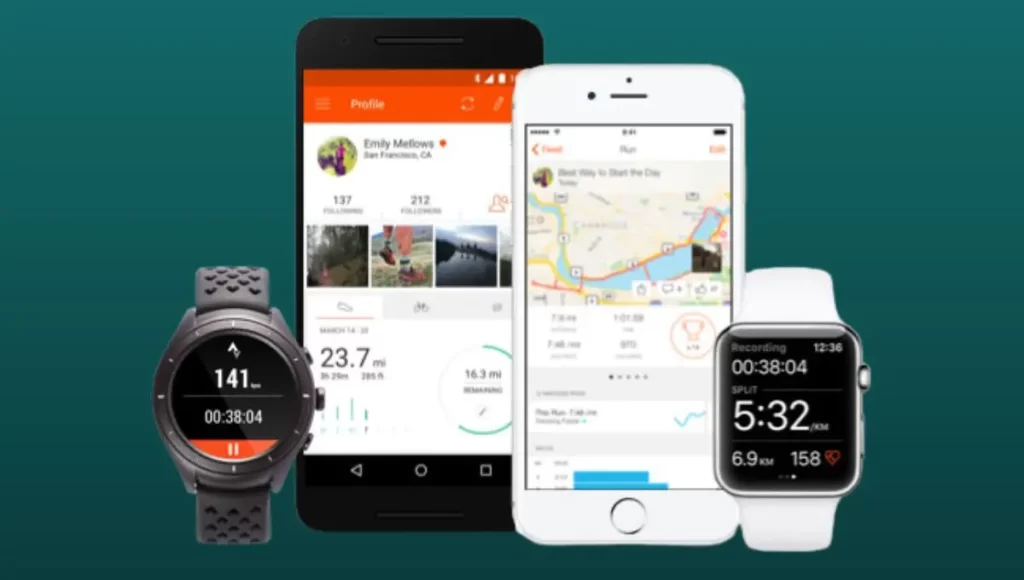
Through this app, you can track your physical activity and with the help of its GPS technology, you can track your distance, speed, elevation, etc. very easily.
Apart from this, another special thing about Strava is that it has the feature of creating and joining clubs, in which many athletes are connected and all share their fitness data, seeing which you get motivation.
If you are using a Garmin watch then there is good news for you. Official support of the Strava app is available in the Garmin watch, which works very well with this watch.
How to Connect Garmin Watch to Strava
- First of all, download and install the “Strava” app on your phone.
- After installation, open the “Garmin Connect app” and go to the “menu” section.
- After coming here, you have to click on the “setting” and then tap on the “connected app”.
- Now a list of many apps will be shown in front of you, you have to choose the Strava app from it.
- After this, you have to allow permission to connect Garmin to Strava app, after which your watch will be connected to Strava.
Wrapping Up
So friends, in today’s article, I have given you step-by-step information about how to connect Garmin with Google Fit. Apart from this, also know about the alternative of your Google Fit. If you have any kind of question-related to this article, then you can ask by writing in the comment below.
How to Connect Garmin With Google Fit (Step by Step)

When it comes to fitness tracking apps, Google Fit is the one that may come to your mind first. It offers advanced fitness tracking features that help fitness enthusiasts match their daily goals, offering actionable tips to achieve daily activity and sleep goals.
Most Garmin users wish to connect their watch with Google Fit to take the advantage of advanced fitness tracking, but they get disappointed due to compatibility issues.
However, there is one unofficial way to sync Garmin with Google Fit using a third-party app. In this post, you’ll get a step-by-step guide to sync Garmin to Google Fit, but before that, let’s check what watch brands are Google Fit compatible.
Table of Contents
List of Google Fit Compatible Watches
Compatible watch brands that work with Google Fit are:
- Wear Os Smartwatches (comes Pre-installed)
- Apple Watch
- LG Watch
- Xiaomi Mi Band
- Misfit
- Polar
- Wahoo
Note: Look at specific models to check their compatibility.
Can you Connect Garmin With Google Fit?
Currently, there is no official support to connect and sync data between Garmin and Google Fit. It would be possible only if Garmin adds Google Fit integration from their side in the future. However, you can achieve this with the help of some nifty third-party apps.
SyncMyTrack app is one third-party app that lets you import your activities from devices like Garmin, Fitbit, Suunto, etc to your desired platform such as Google Fit.
Using third-party apps for connecting Garmin to Google Fit will be a little hassle. But once you get the idea, you can easily complete the process.
On the other hand, there are a few best Google Fit alternatives you can go with. This includes Strava, MyFitnessPal, Training Peaks, and Nike Run Club.
We’ll discuss these alternatives later in the post. But first, let’s walk through step by step how to connect Garmin to Google Fit using a third-party app called SyncMyTrack.
How to Sync Garmin to Google Fit Using SyncMyTrack
SyncMyTrack is a freemium app, available only for Android users. In the free version, manual export and import of activities are possible. Whereas with payment, you can unlock auto account sync and a no-ads experience.
Once installed, follow these steps to sync Garmin to Google Fit:
Step 1: Create A SyncMyTrack Account
First, you’ve to add an account as initially there will be no account created. For that, select the tracker, and create an account.
Step 2: Sync Data
- Both Paid & Free Version Users
Another option is to export and import data from the source app to the destination.
To do this, select three dots on the left side. A box will appear from where you have to select the “Export and Import” option.
Select the source as Garmin and destination as Google Fit. And tap on start.
Step 3: It’s Done
On tapping start, it’ll start the one-time synchronization process. Meaning, the data will be exported once, and later only fresh data will be exported.
Congrats! You’ve successfully synced Garmin data to Google Fit. However, if the data failed to export, there might be some technical issues with it.
Repeat if needed.
Similar Alternatives to Google Fit
Strava
If you want to try something different than Google Fit, then the Strava fitness app is the way to go. It is recommended for people who are more into running, cycling, and other sports activities to track things like speed, distance, elevation gain, etc.
It has over 14-million active users tracking their daily progress in various activities. If you’re a Garmin user, then you’ll be glad to know that Garmin watches officially supports Strava out of the box, so you can easily connect it through Garmin Connect.
- Download & Install Strava app on your phone. Then, Create & Log-in into Strava.
- Now, Open Garmin Connect App.
- Go to Menu > Settings > Connected App.
- From list, Select Strava.
- Authorize permission to Sync Garmin to Strava. And it’s done.
Nike Run Club
After Strava, the Nike Run Club app is one of the best fitness apps on the market for those who want to have a complete monitoring system where they can track their runs and their resting time. It is perfect for those who want to be health-conscious.
- Install & Open Nike Run Club’s official app.
- Go to Profile > Settings > Partners.
- Select Partner device from list. In our case, it will be Garmin.
- Authorize permission to connect with Nike Run Club. And it’s done.
MyFitnessPal
Similar to Google Fit, the MyFitnessPal app has been a popular fitness-tracker app for many years, providing its users with calorie intake and usage stats.
The app provides a new way for people to track their goals by allowing them to monitor the number of calories they burn through a day’s activity.
How to Connect Garmin Watch to MyFitnessPal:
- Download & Install MyFitnessPal app on your phone. Then, Create & Log-in into MyFitnessPal.
- Now, Open Garmin Connect App.
- Go to Menu > Settings > Connected App.
- From list, Select MyFitnessPal.
- Authorize permission to Sync Garmin to MyFitnessPal by linking accounts. And it’s done.
Training Peaks
TrainingPeaks is a viable alternative to Google Fit for tracking your workouts. Seeing your stats on the watch while you’re working out adds an extra reward and motivation to whatever you’re doing. Moreover, the app will help you get more out of your workouts and reach your personal goals faster than ever before.
How to Connect Garmin Watch to Training Peaks:
- Create a TrainingPeaks account and Log In. Do the same with Garmin Connect.
- Once logged into both, Go to trainingPeaks.com/garminconnect
- It will show a pop up saying “Garmin Connect Auto Sync.”
- Tap on “Connect Your Accounts Now” button.
- On tapping, it will ask you to enter Garmin Connect’s Login info. Enter the details and click on sign-in.
- Finally, tap on “Authorize” button. This will connect your Garmin Connect to TrainingPeaks. From now, it will auto-sync on its own.