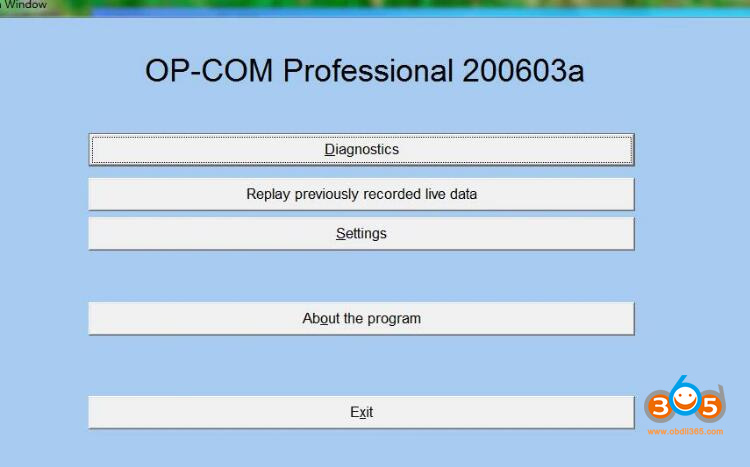
OP-COM Multi (software collection) 200603a [2021]
Description: Collection of software from Fantomel for diagnosing electronic equipment of Opel / Vauxhall cars from 1987 to 2021.
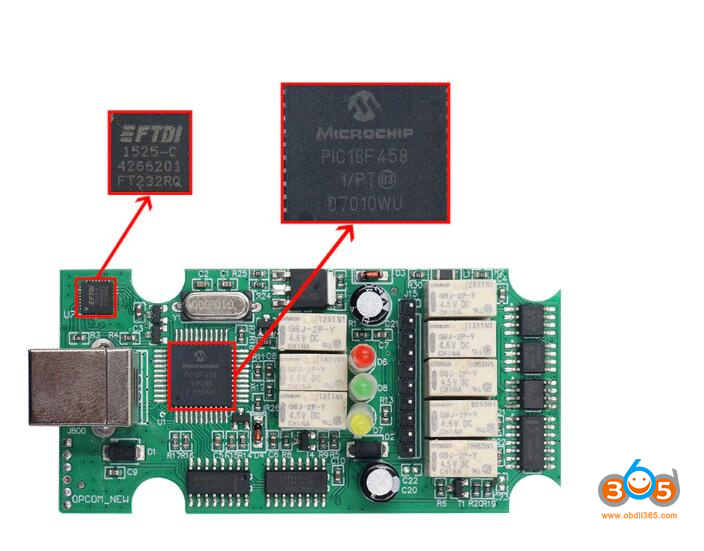
Requires OP-COM with board version OPCOM V5 and correct PIC18F458 to work
Package contains:
OP-COM_110530a_EN-Adv_v20830_Free4All.exe
OP-COM_150406d_EN_Pro_v20830_Free4All.exe
OP-COM_161001a_EN-Adv_v20830_Free4All.exe
OP-COM_170823c_EN_Pro_v20830_Free4All.exe
OP-COM_181022a_EN_Pro_v20830_Free4All.exe
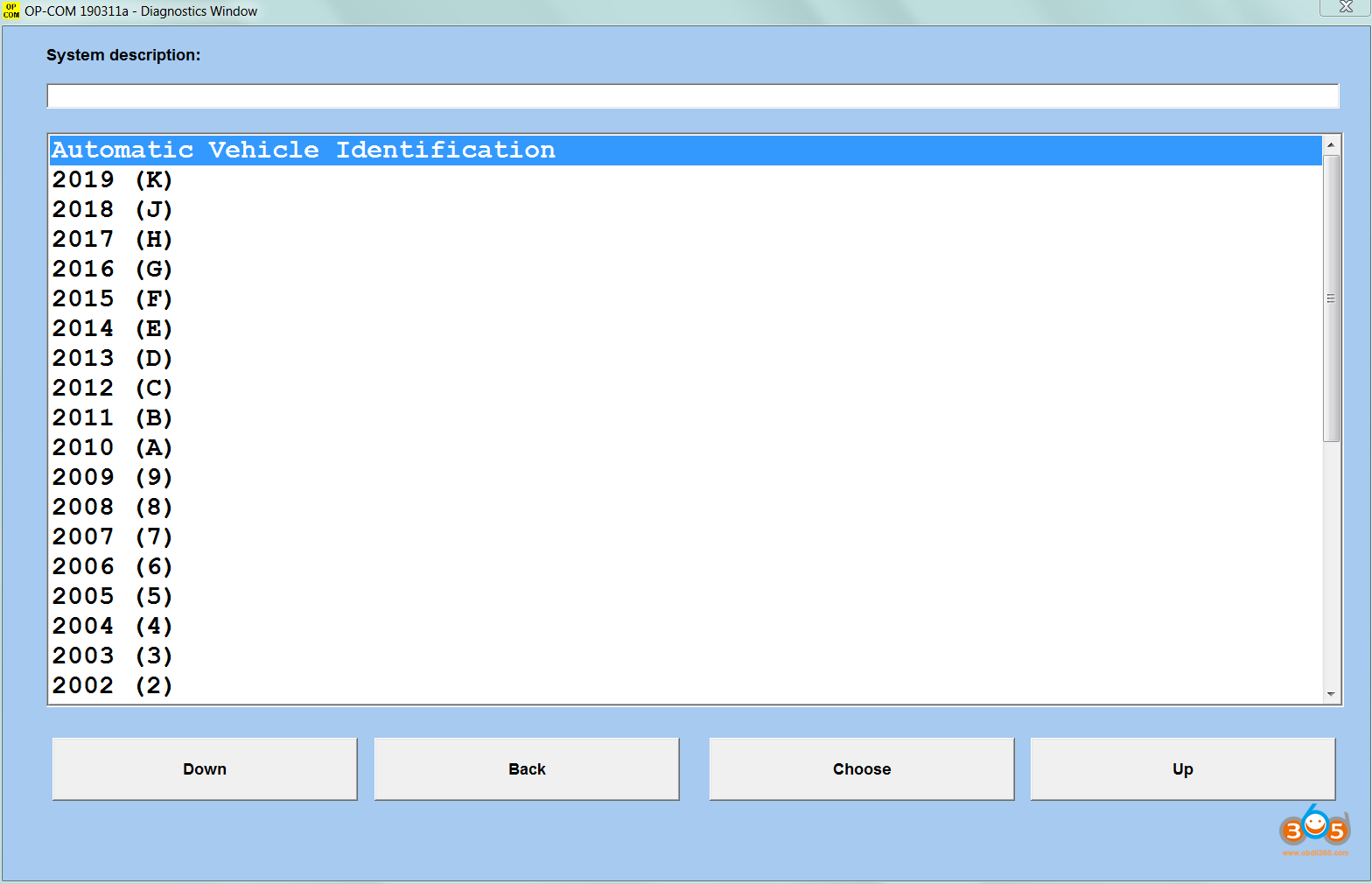
OP-COM_190311a_EN-Adv_v20830_Free4All.exe
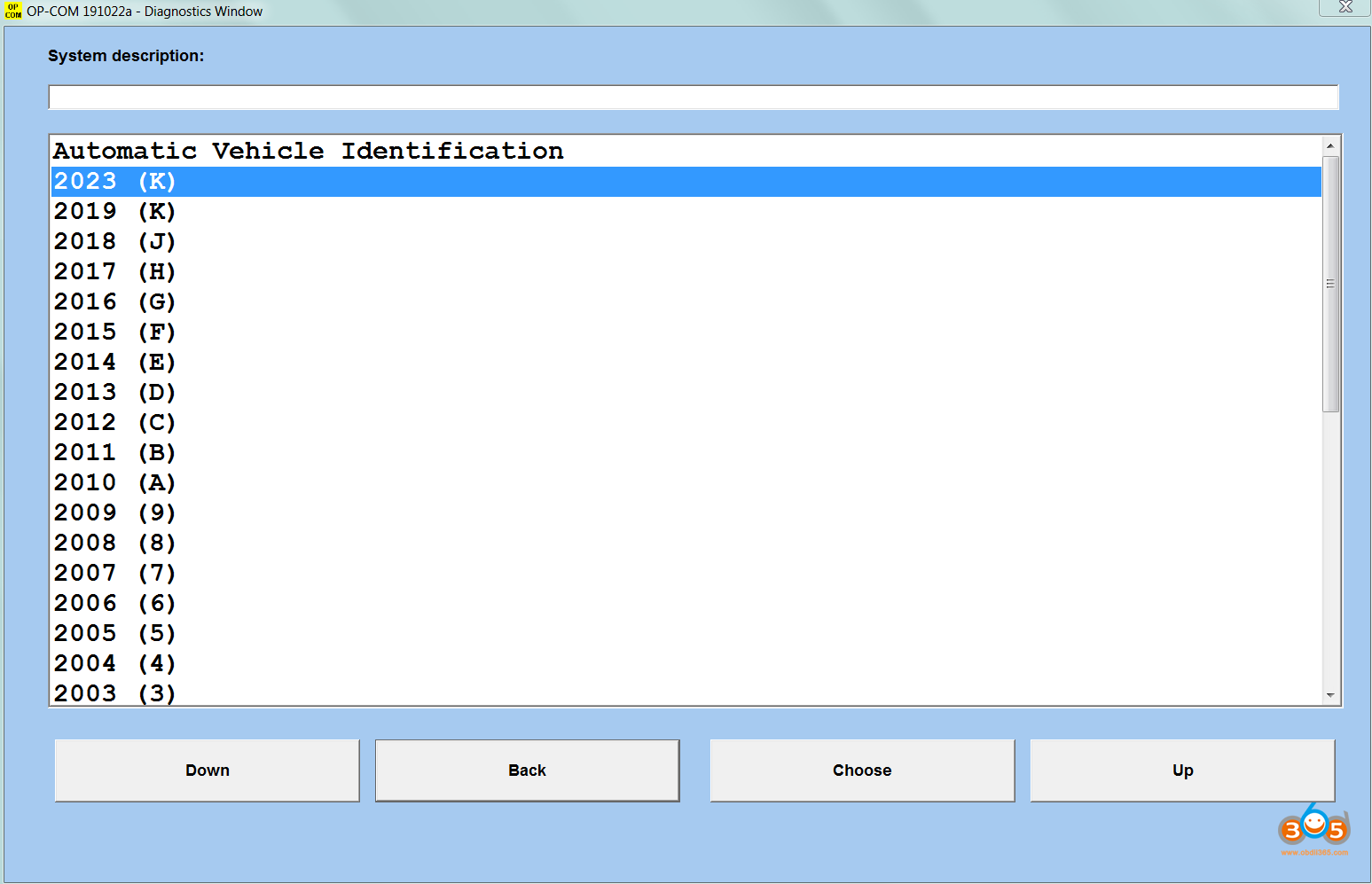
OP-COM_191022a_EN-Adv_v20830_Free4All.exe
OP-COM_200603a_EN_Pro_v20830_Free4All.exe
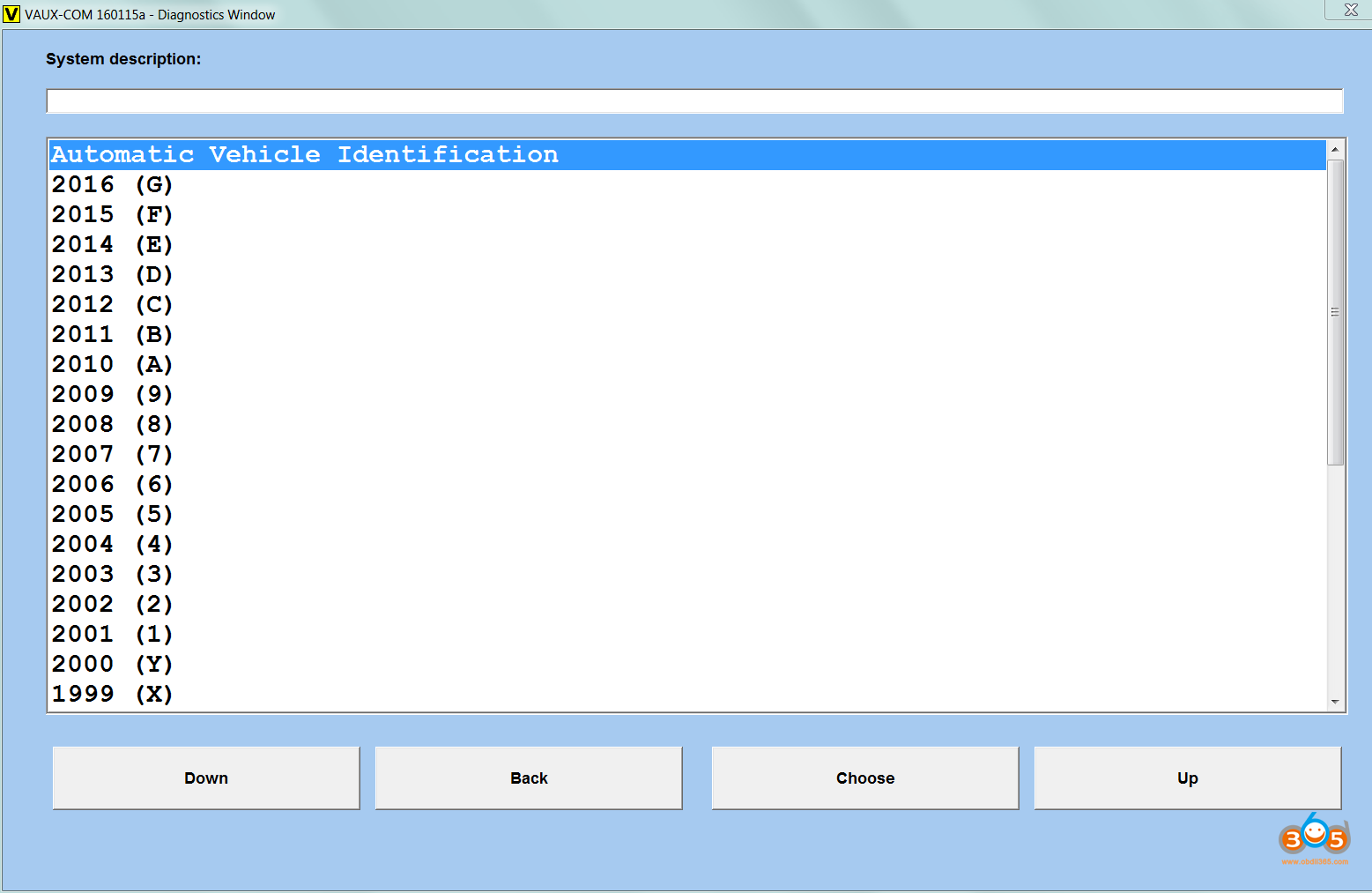
VAUXCOM_160115a_GB_Pro_v20830_Free4All.exe
Instructions in English.
Firmware 1.41, 1.64,1.66,1.67
OCFlash 1.0 — lace flasher
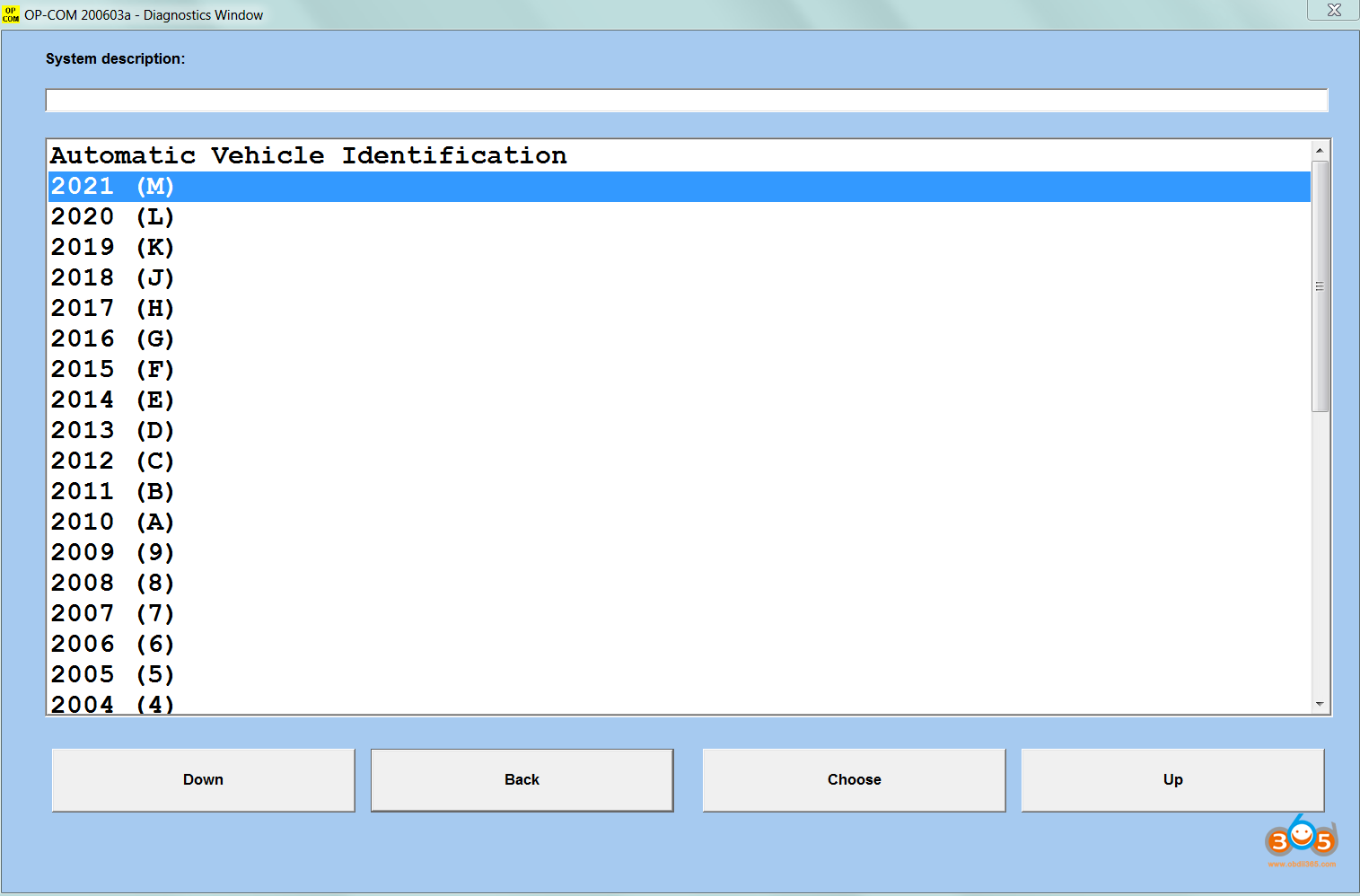
OP-OM 200603a supports vehicle diagnostics until 2021.
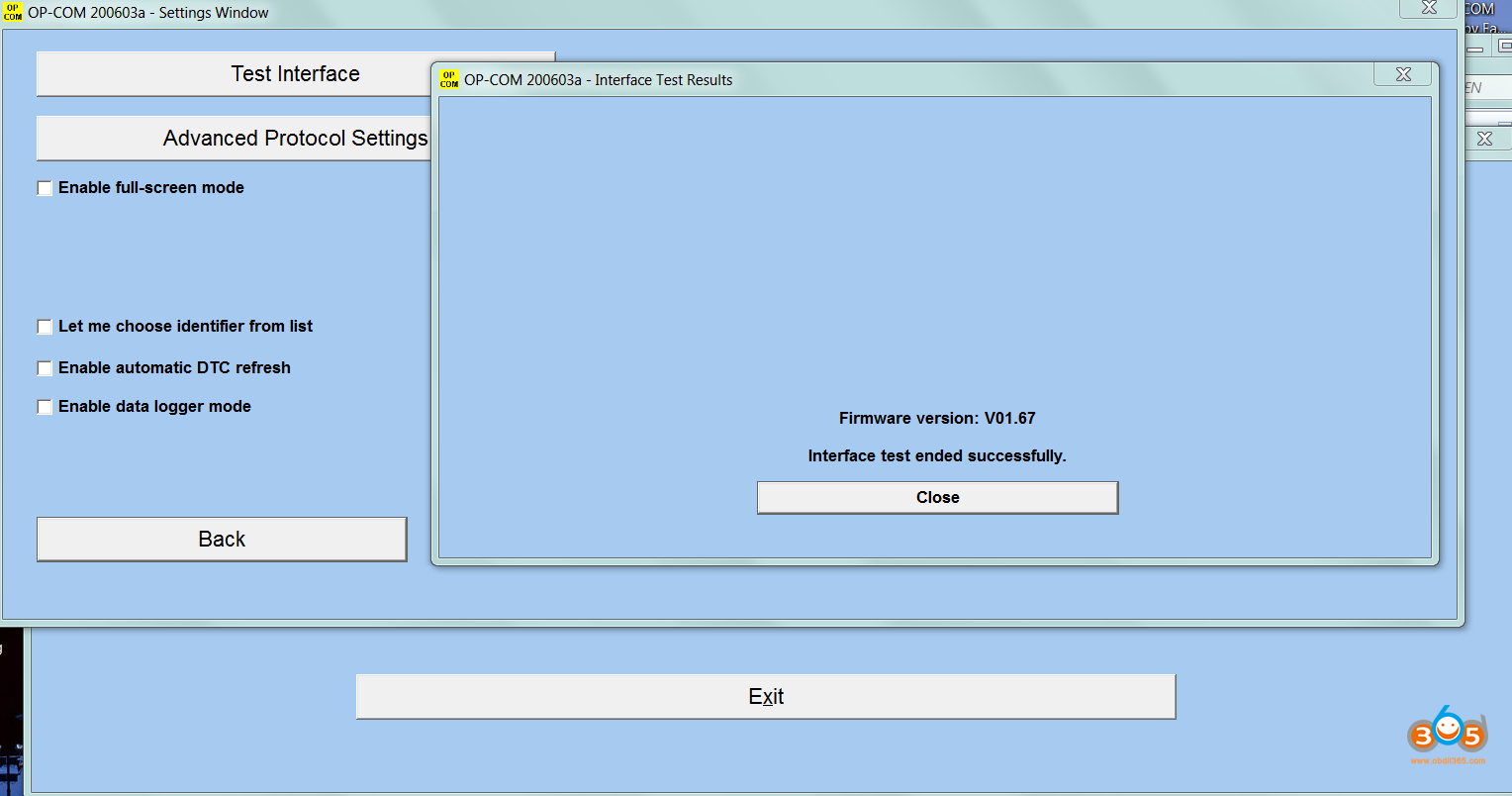
Attention! OP-COM 200603a only works with original firmware version 1.67. The firmware update to version 1.67 in the OP-COM 200603a program occurs automatically when the program starts.
To install the program, connect the device and run the .exe file
All programs are completely free.
Add. Information: Additional software:
OCFlashPro with instructions for lace recovery in Russian
MProg 3.5 with instructions in Russian
OP-COM FUT
Year/Date of Issue: 2021
Version: 200603a
System requirements: Windows XP — 10 32/64bit
Interface language: English
Free download Opel OpCOM 200603a Software till Opel 2021
Here is the collection of software from Fantomel for diagnosing electronic equipment of Opel/Vauxhall cars from 1987 to 2021.
OP-OM 200603a supports vehicle diagnostics until 2021.
It requires OP-COM with board version OPCOM V5 and correct PIC18F458 to work.
Attention! OP-COM 200603a only works with original firmware version 1.67. The firmware update to version 1.67 in the OP-COM 200603a program occurs automatically when the program starts. Need to flash opcom clone firmware if work with V2021 software. You are at your risk.
- Year / Release date: 2021
- Version: 200603a
- Interface language: English
- Activator: Not needed
- Installation files size: 155.9 MB
Firmware: 1.41 / 1.64 / 1.66 / 1.67 (OCFlash 1.0 – interface flashing tool)
Free download opcom 200603a torrent
if your device does not have pic18F458 chip, please choose our device+software. Otherwise it will not work. Nor can it be after-sales because the hardware does not support.
- OP-COM_110530a_EN-Adv_v20830_Free4All.exe
- OP-COM_150406d_EN_Pro_v20830_Free4All.exe
- OP-COM_161001a_EN-Adv_v20830_Free4All.exe
- OP-COM_170823c_EN_Pro_v20830_Free4All.exe
- OP-COM_181022a_EN_Pro_v20830_Free4All.exe
- OP-COM_190311a_EN-Adv_v20830_Free4All.exe
- OP-COM_191022a_EN-Adv_v20830_Free4All.exe
- OP-COM_200603a_EN_Pro_v20830_Free4All.exe
- VAUXCOM_160115a_GB_Pro_v20830_Free4All.exe
Flash Opel OPCOM 2021 Firmware for 200603a
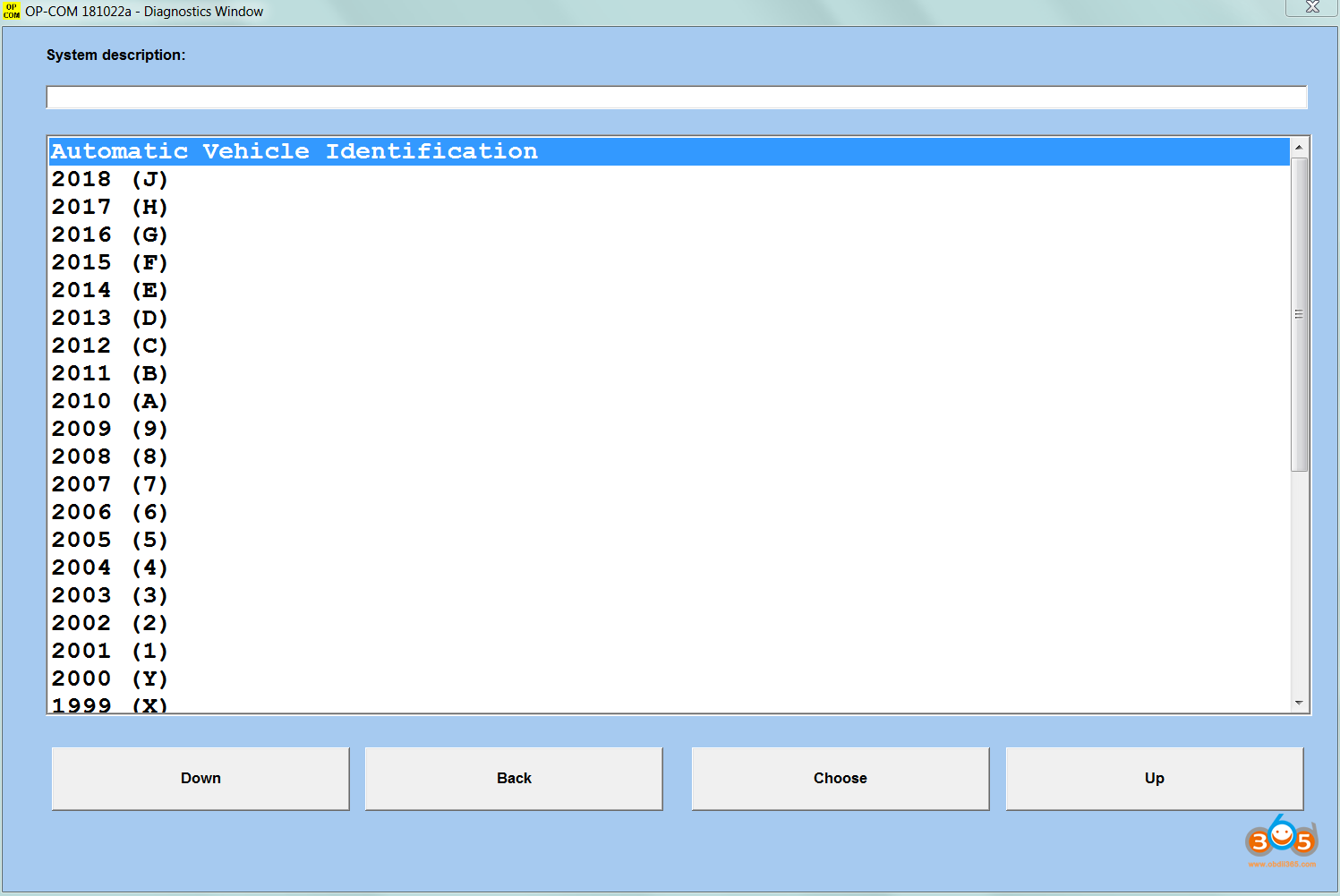
How to make OPCOM Scanner working 2021 year vehicles?
Firstly you need a good opcom interface with Real PIC18F458 chip for flash firmware, then you can downgrade or upgrade the Firmware. This will have risk if you have not good PIC18F458 Chip, it will damaged when flash firmware.
Why we flash the firmware on opcom?
1.some vehicles need lower or newer firmware ,otherwise won’t connection
2.newest opcom software 200603a need correct firmware ,fake or incorrect firmware won’t working out
Steps make opcom working on opcom 200603a software :
1. Make sure your interface has genuine vid and pid(6001) ,if not use the restore of ocfd.if your system has modified ftdi drivers first use the cleaner included then install the proper drivers.
2. Make sure your interface uses ftdi driver that is maximum 2.10.0.0 AND NOT NEWER. -> this is a must.
3. Make sure your interface has a proper firmware, not some fake 1.70 or 1.99 or some other chinese inventions.
To be sure use included ocflash to put one of the firmwares there. Maximum official version is 1.67 on last 2020.06 version.
——————–I AM NOT RESPONSABLE FOR BROKEN INTERFACES THAT DO NOT HAVE GENUINE PIC18F458-I/PT——————–
Any interface without this chip is just a copy that sooner or later will brake. Buy a 20$ chinese clone and be happy.
Buy a proper one(Genuine V5 model), do the modification to revision C and then you get also manual scan to CH-CAN modules.
All that you get here is FREE, make sure you read the txt on install screens. All versions are in ENGLISH.
You can install all of them in the same computer because they will make own folders in the same subfolder and will
create shortcuts in the same program GROUP.
Related posts:
- Free Download OPCOM fw1.64 with vaux-com 120309a
- OP-COM Guide: How to use Opcom to do Key Programming
- How to Install Opcom V1.95 VAUX-COM Software Driver on Windows 7
- How to Modify Opcom Type B to Type C with CH-CAN Support?
Free Download Op-com Can OBD2 FW 1.99 Opel Diagnostic Tool
Several days ago I got an error with my OPCOM 2014V Opel diagnostic tool, when I asked help on the forum, I found a nice friend shared the latest op-com FW 1.64, I have not tried yet because my opcom error has not solved, I write down processes, hope these helps.
Free download Opcom diagnostic tool FW 1.64:
Notice:All manipulations with the device you are doing at your own risk! ( It haven’t been tested yet,just share by forum membmers )
OPCOM Function:
1. It covers almost all Opel cars, even new cars with CAN-BUS based diagnostic, such as Vectra-C, Astra-H, Zafira-B.
2. The program lets you to read out and clear fault codes, shows you live data, lets you to perform output test.
3. The program supports many control units, like Engine, Automatic Transmission, ABS, Airbag, Engine Cooling module, Instrument Cluster, Electronic Climate Control, Body Control Unit, just to name a few examples.
4. Since Opel uses many pin in the OBD connector, the diagnostic interface works as a multiplexer, and selects the appropriate pin for communication.
PIN3, PIN7, PIN8, PIN12 = Serial Link (ISO9141, KW81, KW82, KWP2000)
5. Fault codes will be shown with all available information:
Attention!
See the presence of the chip. There must be a [PIC18F458]. If there has a [OP-COM] chip then do nothing. You will get a 100% dead of OP-COM
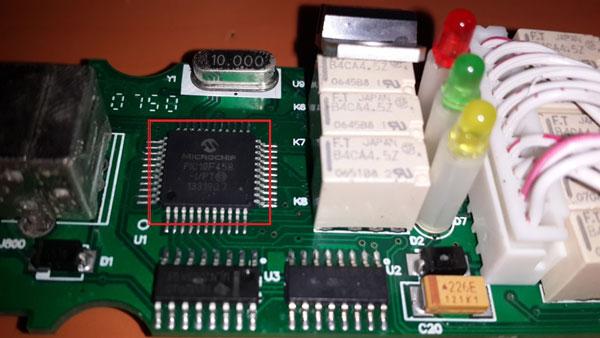
An example, Instead PIC18F458 chip is OP-COM chip, so it can’t be reflashed.
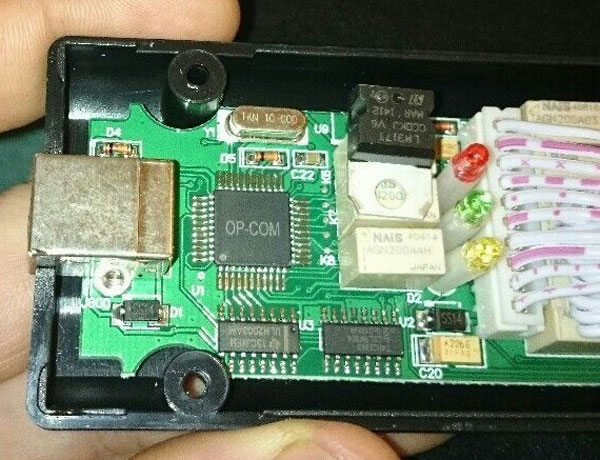
Seen that the chip is PIC18F458, then go to the next step.
How to Setup OP-COM software
Then unzip [VAUX-COM_120309a + 131223d_GB + OcFlash China] file to desktop and Run the program [VAUXCOM.exe] to verify the correct installation of the drivers
->Click Test interface
It means that the driver installed properly if the interface appear here. (pictures shown below)
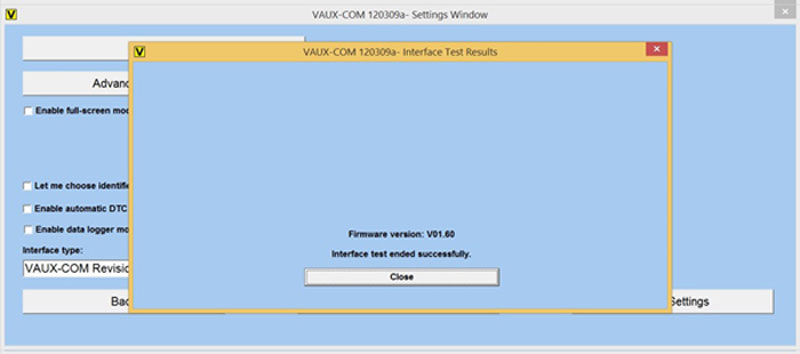
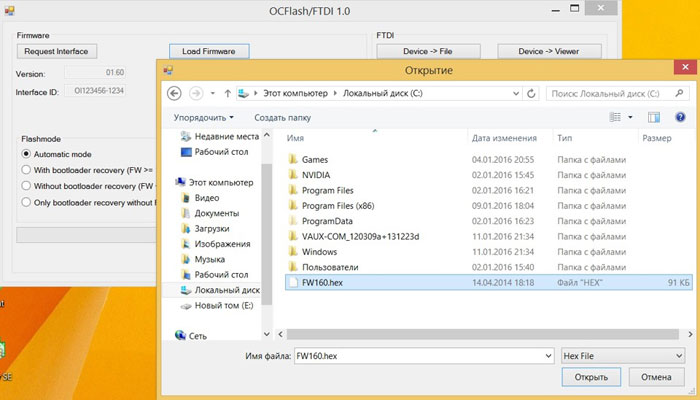
Download the firmware and run the program [OCFlash.exe]

Specify the path to the [FW 1.64.hex]
Run the Test interface again and check that the OP-Com updated to version 1.64
You can now use the program [VAUXCOM.exe]
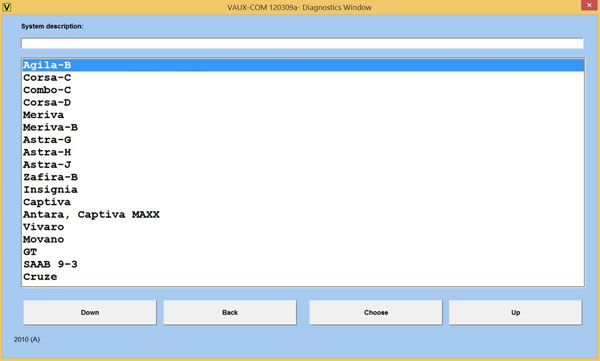
Vehicle model until 2015

OPCOM VAUX-COM 120309a Windows 7 32bit:
Recently, some OPCOM users respond that “I couldn’t get the cracked software to run on my windows 7 laptop but it was fine on my old XP one….”
Free download VAUX-COM 120309a:
Operation system supported:
Windows XP;
Win 7 32bit
How to install OPCOM in WIN7:
The way of installing op-com in Win 7 is the same as that in Windows XP:
Tips on using VAUX-COM 120309a software:
1. Make sure there is dotnetfx35_SP1 patch on your windows XP or Windows 7 laptop, otherwise you are unable to run opcom software.
2.If you install the software on windows 7 laptop, you can only open it as Administrator, kindly check and follow the installation video inside CD
3. Never update it online, It will damage the OP-COM
Installation procedure:
Open “My Computer/ OP-COM (E:)” to copy all the files to a new established folder named “op-com” in “Local Disk (C:)”.
The send “OP-COM” from”Local Disk (C:)/op-com” to Desktop.
Install software for USB Serial Converter
Click “Next” with the selection of “Install from a list of specific location (Advance)”.
Select “search removable media” and “include this location in the research”, then to “Browse” for “Desktop/My Computer/Local Disk (C:)/op-com/Drivers”. Then click “Next”.
Click “Next”.
Click “Finish” for successful installation of the software for USB Serial Converter.
Computer management setup
Right click “My Computer” for “Manage”.
Select “Device Manager/PC-201103301537/Universal Serial Bus controllers/USB Srial Converter”.
Close the interface.
Run VAUX-COM 120309a and diagnosis
Open “Shortcut to CP-COM”.
Select “Settings”.
Click “Test Interface”. And click “Close” on “Interface Test Result”.
Click “Save Config” button, click “OK” for “Configuration saved”.
Select “Diagnostics”.
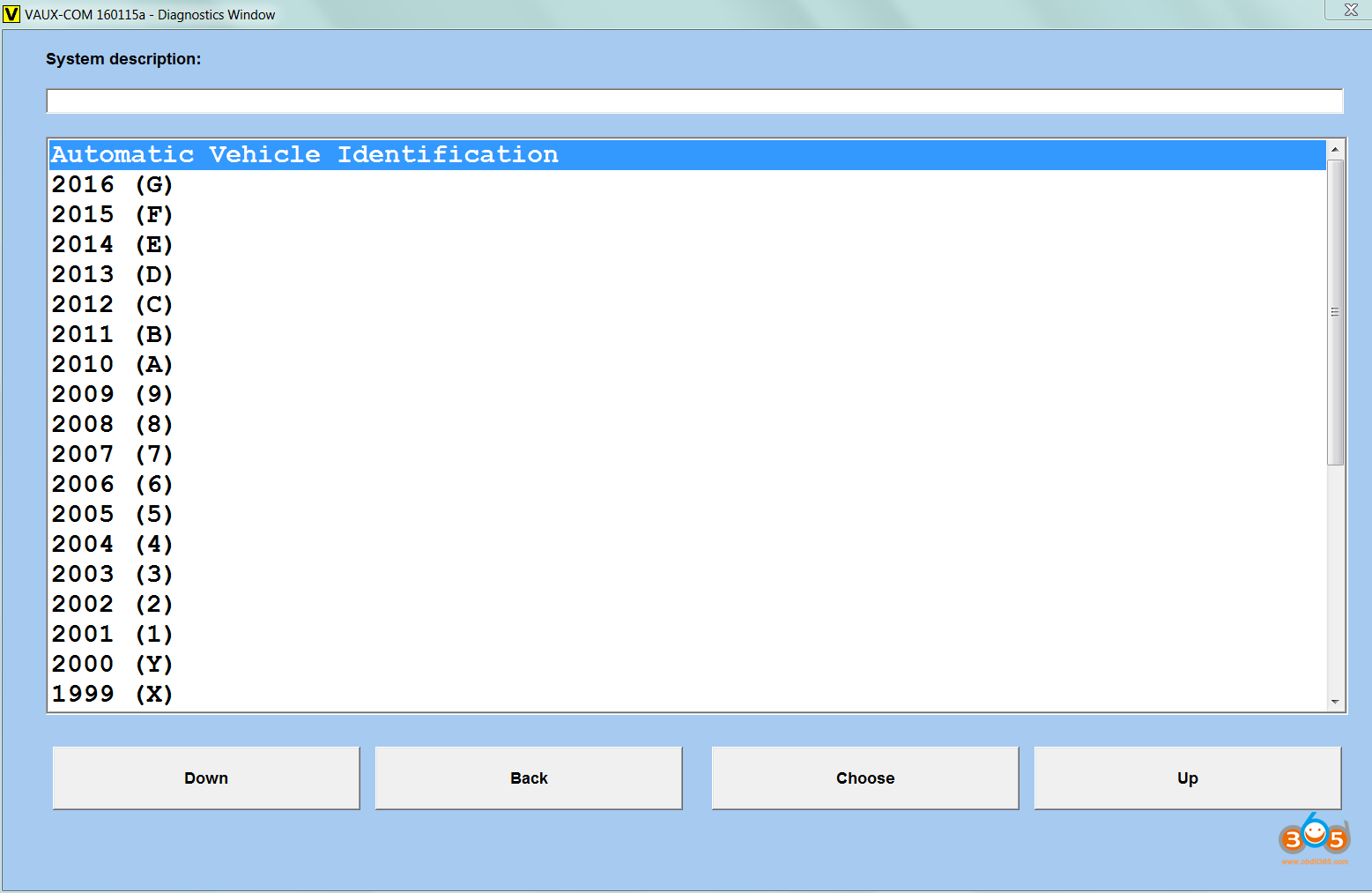
Click “Automatic Vehicle Information”.
Click “KWP-2000”.
…(diagnosis as you want)
(NOTE: this installation instruction can be available for OPCOM 1.45 or 1.59)
OP-COM Successful Test Cases by Customers:
Opcom Key Programming Guide Step by Step
. To program Opel keys with Opcom clone, you need LUCK.
What is Opcom?
Opcom is a PC-based diagnostic tool for Opel. Now there are 4 versions of Opcom in the market, incl.
What is immobilizer ii programming?
From 1995 and onwards, Opel/Vauxhall vehicles are factory installed with an immobiliser.
The Immobiliser-I system can be found in Astra-F, Corsa-B, Omega-B, Vectra-B.
The Immobiliser-II system can be found in Astra-G, Corsa-C, Omega-B, Vectra-B, Zafira,
This opcom guide covers the Immobiliser-II system.
With OP-COM you can perform various immobiliser related operation.
OPCOM how to:
– Erase all transponder keys
– Learn transponder keys to immobiliser
– Reset engine ECU
– Reset immobiliser ECU
– Replace engince ECU
– Program immobiliser output
– Program security code
– Program mechanical key number (MKN)
– Program vehicle identification number (VIN)
Please note, that any immobiliser-related operation requires a security code.
The security code can be found in the Car Pass.
You should get the Car Pass from the dealer, or the previous owner, along with all the vehicle
papers (owners manual, service book, etc.) It contains the VIN, security code, the engine
type, radio code, etc.
Also, you can read security codes yourself.
Opcom v1.39 can read security codes and program keys in one device. But, unluckily, it stops production.
Opcom v1.59 can program keys also, but you need use Carprog v8.21 or CarProg 10.05 to read pin /security codes from engine ECU.
The security code has four digits, and it only contain numbers, from 0 to 9.
If you do not have the Car Pass, you should visit the dealer, where you can request a new Car
Pass. First, they will verify your papers, and if everything is all right, you’ll get a new Car
Pass. It costs you some money, but at least you will get the security code.
In this demonstration, we use a MY 2001 Astra-G, Engine Z 16 XE.
First, you can easily check that the vehicle is immobiliser equipped. Please look in the engine
ECU measuring blocks, where you’ll find the answer.
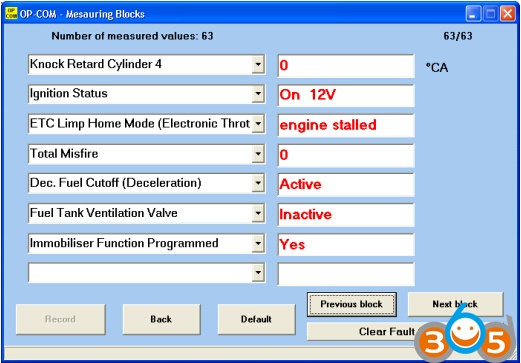
As you can see, Immobiliser Function Programmed = Yes .
When you open up the Immobiliser, you can see the following:
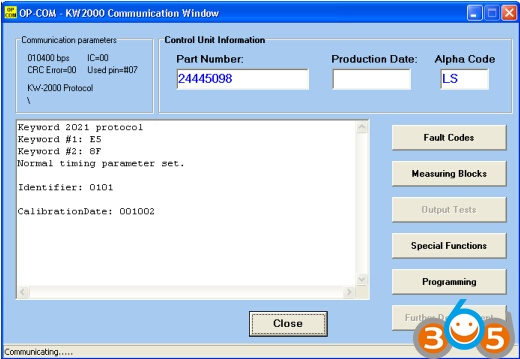
You can easily verify the correct operation, or the state of the Immobiliser, please click on the
[Measuring Blocks] button.
For the immobiliser system, you can program up to five keys.
On this example, you can see, that only one key is programmed.
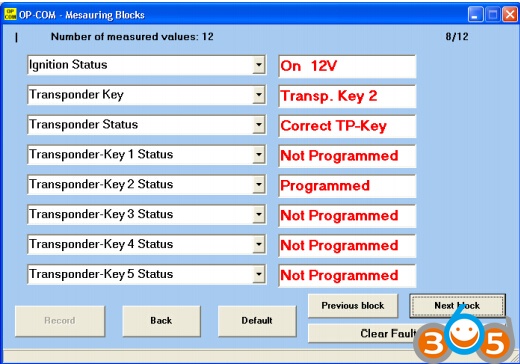
The immobiliser and the Engine ECU is connected together via a W-Line.
(W comes from a german word, WegfahrSperre=Immobiliser)
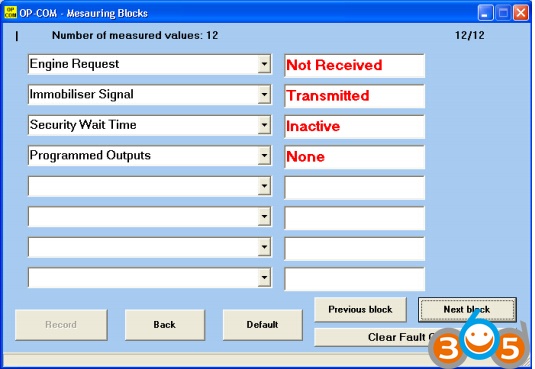
The security wait time is also important, because when a wrong security code has been
entered, the system will lock up itself, for some time. In that case, you have to wait, and try
again only, if the Security Wait Time is inactive here. Possible values can be anything from
10 seconds, to 21 hours! If you somehow managed to create a long Security wait time, please
connect a battery charger to the car, and leave the ignition on.
Possible Security Wait Times intervals: (hh:mm:ss)
00:00:10, 00:10:00, 00:20:00, 00:40:00
01:20:00, 02:40:00, 05:20:00, 10:40:00
(Yes! 21 hours, 20 minutes can be the longest one here )
Under the [Special Functions], you can
– Read ECU Identification
– Reset Engine ECU
– Erase Transponder Keys (all)
The Read ECU Identification button is not grayed out. This function does not require any
security code, and you can read out the vehicle VIN, and the MKN for identification
purposes. You’ll need the VIN, and the MKN, when you order new keys to the car.
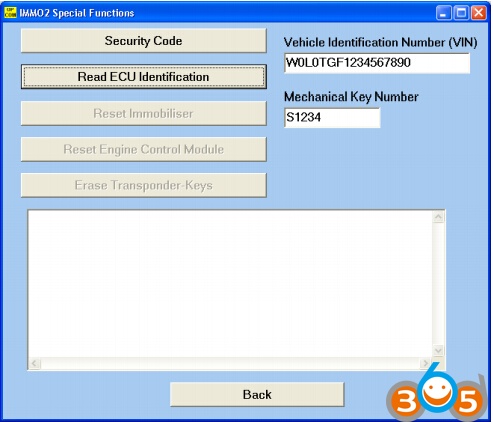
First, you have to enter the Security code, to enable the buttons.
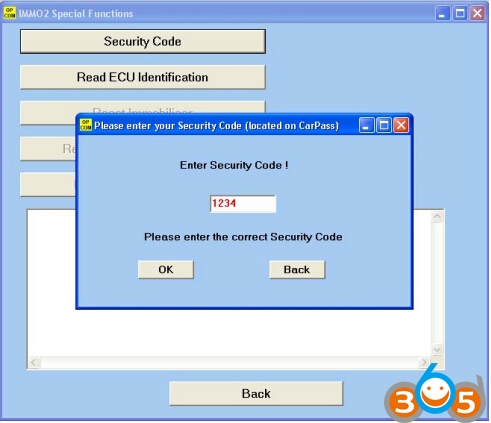
When a correct security code has been entered, all the options will be available.
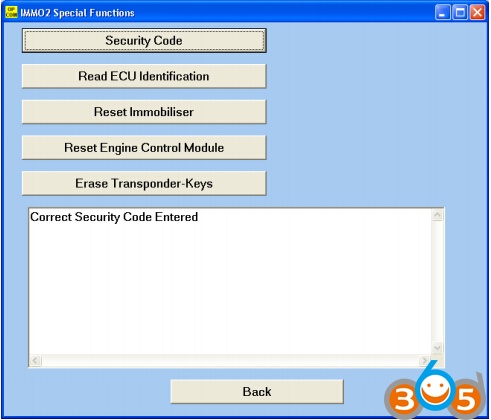
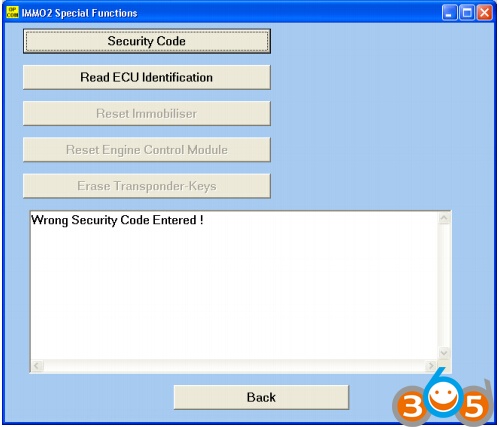
When a wrong security code has been entered, the program notifies you, and all the relevant
options will be grayed out.
So, lets see each function in details:
[Op com Reset Immobiliser]
This function will set back the immobiliser ECU to its factory default state. Prior to replace,
you have to reset the immobiliser back to its factory default state. In this way, you can install
it into another car. This will also erase all transponder keys. Please note, that after using this
function, you won’t be able to start the engine.
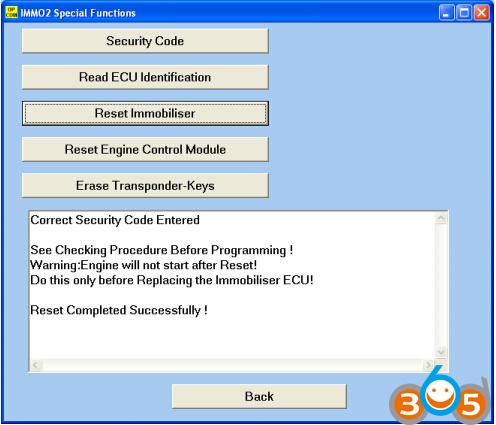
After the reset is done, you can verify in the measuring blocks, that all key entries erased
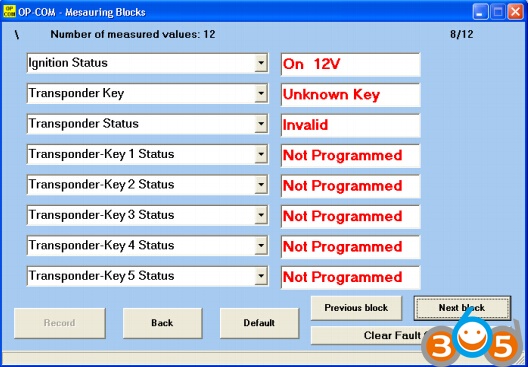
In a factory default state, the immobiliser ECU will accept ANY secret code.
[Opcom Reset Engine Control Module]
This function will set back the Engine Control Module to its factory default state. Prior to
replace, you have to reset it back to its factory default state. In this way, you can install it into
another car. You can verify the state of the engine ECU immobiliser in the measuring blocks
information. Please note, that after using this function, you may won’t be able to start the
engine. Each factory default state Engine ECU has some limited running time, without
immobiliser (max 10 attempts to be exact). After that number, the Engine ECU will lock
itself, and no more start is allowed without a fully functioning immobiliser. On Corsa-C,
Meriva, and Tigra-B the BCU, and the instrument cluster is also an Immobiliser related
component. OP-COM is going to support resetting, and programming these ECU’s in one of
the next release.
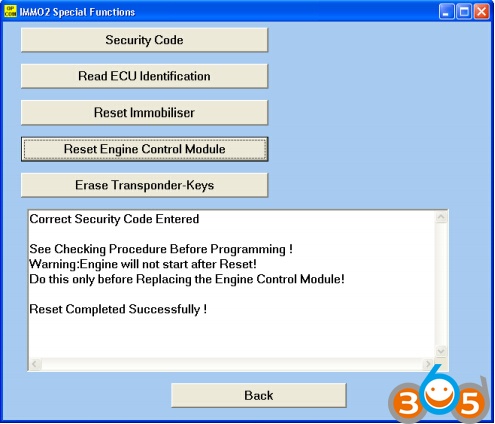
Before you swap, or replace any immobiliser related component
(Engine ECU, Immobiliser ECU), you have to Reset them first.
The arming of the immobiliser has some delay (usually 5-10 min), so within five or ten
minutes, you may be able to start the car. But after this delay expires, you wont be able to
start the engine at all, as the immobiliser will lock the vehicle. An indicator light (SVS, or
MIL) will be flashing on the dash, showing an immobiliser related problem.
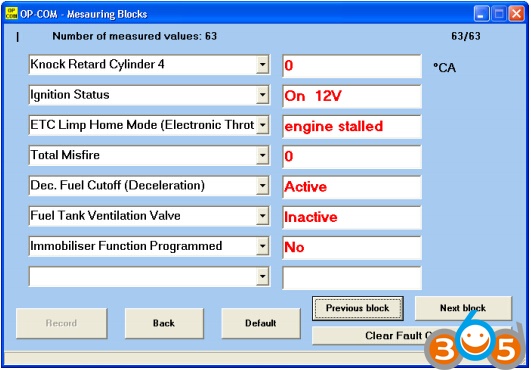
When you intended to buy used engine or Immobiliser ECU, make sure that either
– you will get a valid security key, or Car Pass with the used unit, or
– the used parts were correctly set back (resetted)
[Op-com Erase Transponder Keys]
With this function, you can erase all transponder keys. The function is useful, for example
when your costumer purchases a used car, with three programmed keys, but he/she only has
one, or two in his/her hands. In that case, you can Erase all transponder keys, and only
reprogram those keys, which your costumer has.
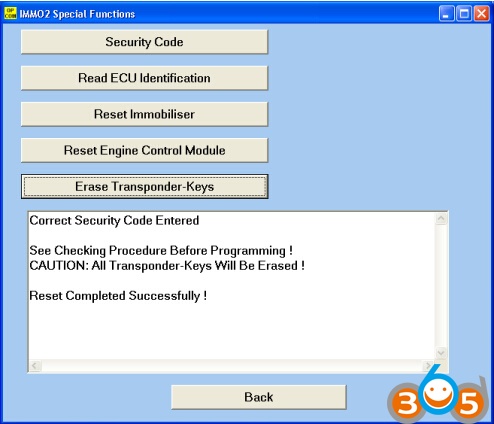
This will not erase the programmed remote controls for the car. Erasing programmed remote
controls can be done in Alarm, or Central Door Locking, depending on which equipment is
built into the car.
Under the [Programming] menu, you can
– Program Immobiliser Function
– Program Immobiliser Output
– Program Transponder-Keys (New, and Old)
– Program Vehicle Identification Number (VIN)
– Program Mechanical Key Number (MKN)
After you successfully entered a valid security code, all the available options will be active.
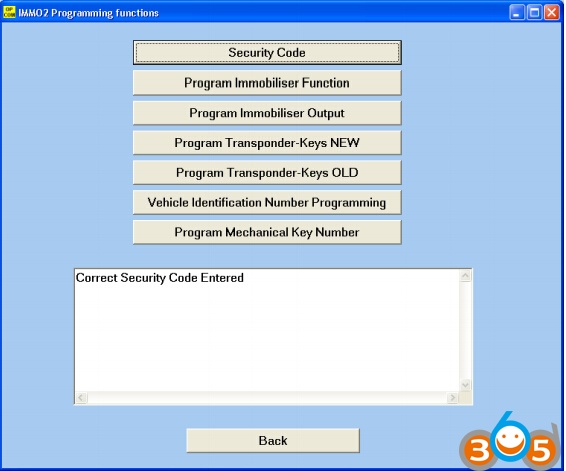
A new transponder key can only be programmed once to an immobiliser ECU. At the first
programming attempt, the immobiliser writes its own data (Secret Code, VIN, etc) into the
transponder, and then the transponder will be locked to that specific immobiliser. Although,
any programmed keys, can be erased, and reprogrammed to the same car without any
problem, a programmed transponder cannot be reprogrammed to another car, or to another
immobiliser ECU. The immobiliser is fully functional, when all the components have the
same VIN, and Secret Code.
An already programmed Immobiliser-II type transponder key can be programmed to a
different Immobiliser-I type Immobiliser ECU, without any problem.
Let’s see each function in details:
[Opcom Program Immobiliser]
When you replace an immobiliser, or an engine ECU, or both, you can use this function to
program the replaced component(s). When you click on the button, you will see, that it has
– Immobiliser installed (replaced)
– Engine Controller installed (replaced)
– Both Immobiliser and Engine Controller installed (replaced)
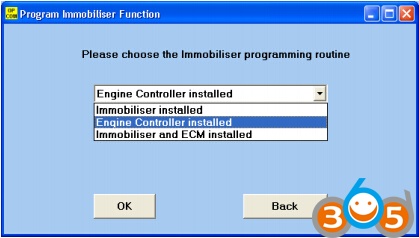
Please choose accordingly what you did replaced, then please press the [OK] button.
When you replaced the Immobiliser, you should see something like this:
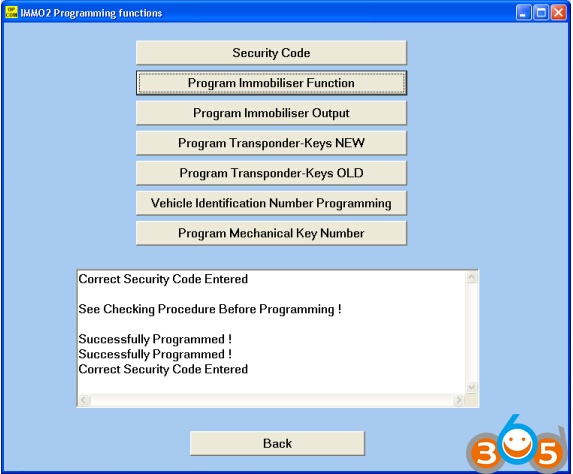
When you replaced the Engine Control Unit, you should something like this:
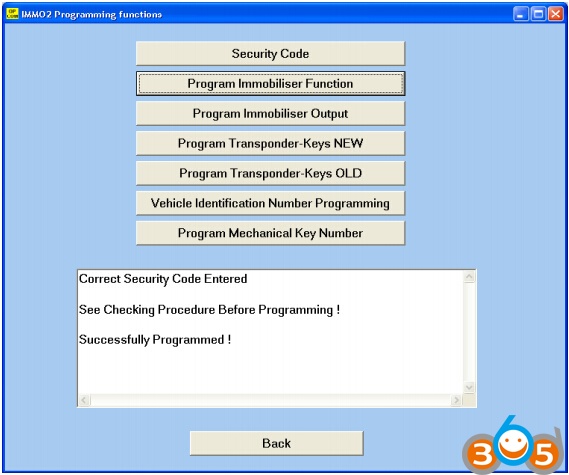
When you replace both Engine and Immobiliser ECU, both programming routine will be
executed after each other. First, the Immobilser ECU will be programmed with the Secret
Code, VIN, and MKN, then a new Engine ECU will be adapted to the system.
After you successfully finished the Immobiliser programming function, you have to program
at least one key to the immobiliser system.
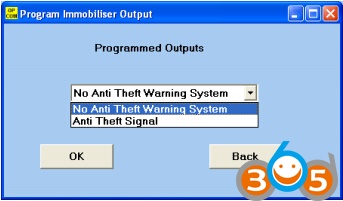
[OP-COM Program Immobiliser Output]
When the car is equipped with an Anti Theft Warning System (Alarm), you should program
the immobiliser output accordingly.
[OPCOM Program Transponder Key – NEW]
With this function, you can program NEW, not previously programmed key(s) to the
immobiliser system. Only one key can be programmed at once. After each key, please cycle
the ignition. If you want to program two, or three keys, please repeat the procedure.
[OP CPM Program Transponder Key – OLD]
With this function, you can program OLD, previously already programmed key(s) to the
immobiliser system. Only one keys can be programmed at once. After each key, please cycle
the ignition. If you want to program two, or three keys, please repeat the procedure.
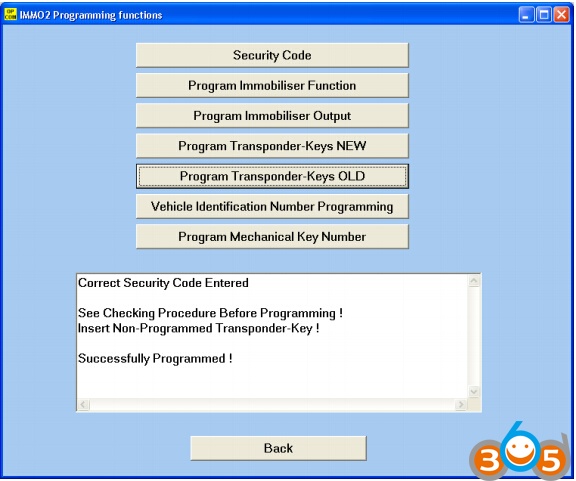
If the program gives you the following message:
then please check the measuring blocks for more information about your transponder-key.
The reasons could be as simple as
– wrong transponder type
– key contains no transponder at all (dropped out from key, etc.)
– transponder already programmed to other car
– Wrong transponder-key programming routine selected (trying to program a
previously programmed transponder as a new one)
Next, you will see some example pictures, I hope these can helps you to identify
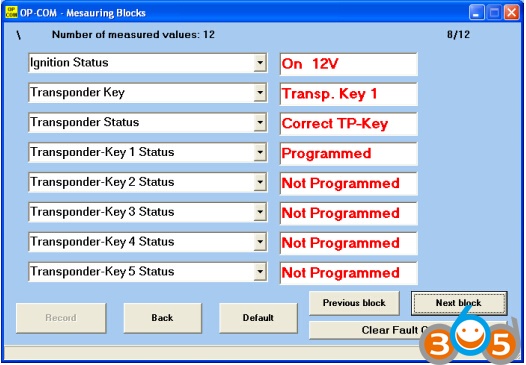
the problem more easily. When the immobiliser system working perfectly, the Transponder
status must be Correct TP-Key.
Transponder identification OK, system working properly:
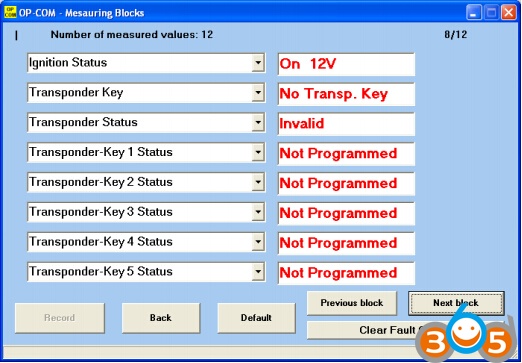
Key does not contains valid transponder:
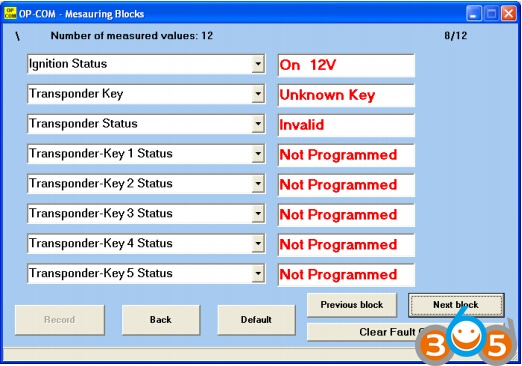
Key contains a transponder (new, or previously programmed):
[OP-COM Program Vehicle Identification Number (VIN)]
With the help of this function, you can program the VIN of your car into the immobiliser
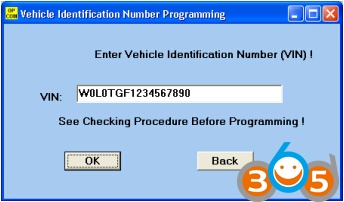
[OPCOM Program Mechanical Key Number (MKN)]
With the help of this function, you can program the MKN of your car into the immobiliser
ECU. This information is helpful, when you want to order some spare keys to your car, and
you can only order fine, mechanically working keys to your car, if you know the Mechanical
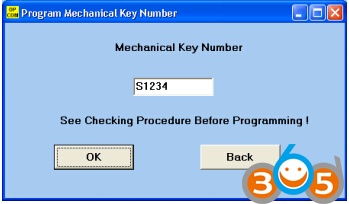
Summary:
In this guide, we wanted to summarize you what OP-COM can do with the immobiliser.
The most Important note:
Please, First always read the factory repair manual of your car!
There are some steps, which require great attention from the user. Please, take your time, do
not rush, and think it over at least twice, which functions do you chooses.
Do not click automatically on OK, if you don’t know what’s going to happen.
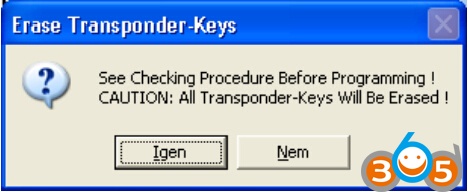
You cannot do any harm accidentally, because every important step has its own safety warning